FAQ's
Upi
How to Set Up UPI on the HDFC Bank App
Know how you can make instant payments from your HDFC Bank app.
Synopsis
- Setting up UPI on the HDFC Bank App allows you to make secure, instant payments directly from your bank account.
- Complete the setup in a few simple steps and enjoy seamless UPI transactions anytime, anywhere.
- You can make instant payments, send money, scanning QR codes and pay merchants using HDFC Bank App UPI.
Overview
UPI has become one of the most convenient ways to make digital payments. Be it paying at a store, transferring money to family and friends, or shopping online, UPI enables quick and secure transactions without needing your bank account details every time.
With the new HDFC Bank App, you can set up your UPI profile quickly. Once enabled, you can start making one-click payments directly from your preferred bank account. Here's a step-by-step guide to help you get started.
How to Set Up UPI on the HDFC Bank App
Follow these simple steps to activate UPI on the HDFC Bank App:
Step 1: Log In
Open the HDFC Bank App and log in securely.
Step 2: Go to Your Profile
Tap your Profile Picture located at the top-left corner of the home screen.
Step 3: Enable UPI
Select Setup UPI, accept the Terms & Conditions, and tap Enable Now.
Step 4: Verify Your Mobile Number
Choose the mobile number registered with your bank account and tap Continue. An SMS will be sent automatically to verify your mobile number.
Step 5: Select Your Primary Bank Account
Once your mobile number is verified, choose the bank account you'd like to use as your primary account for UPI transactions.
Step 6: You're Ready to Pay
That's it! Your UPI ID is now set up successfully. You can start making instant payments, sending money, scanning QR codes and paying merchants using UPI on the HDFC Bank App.
Benefits of Setting Up UPI on the HDFC Bank App
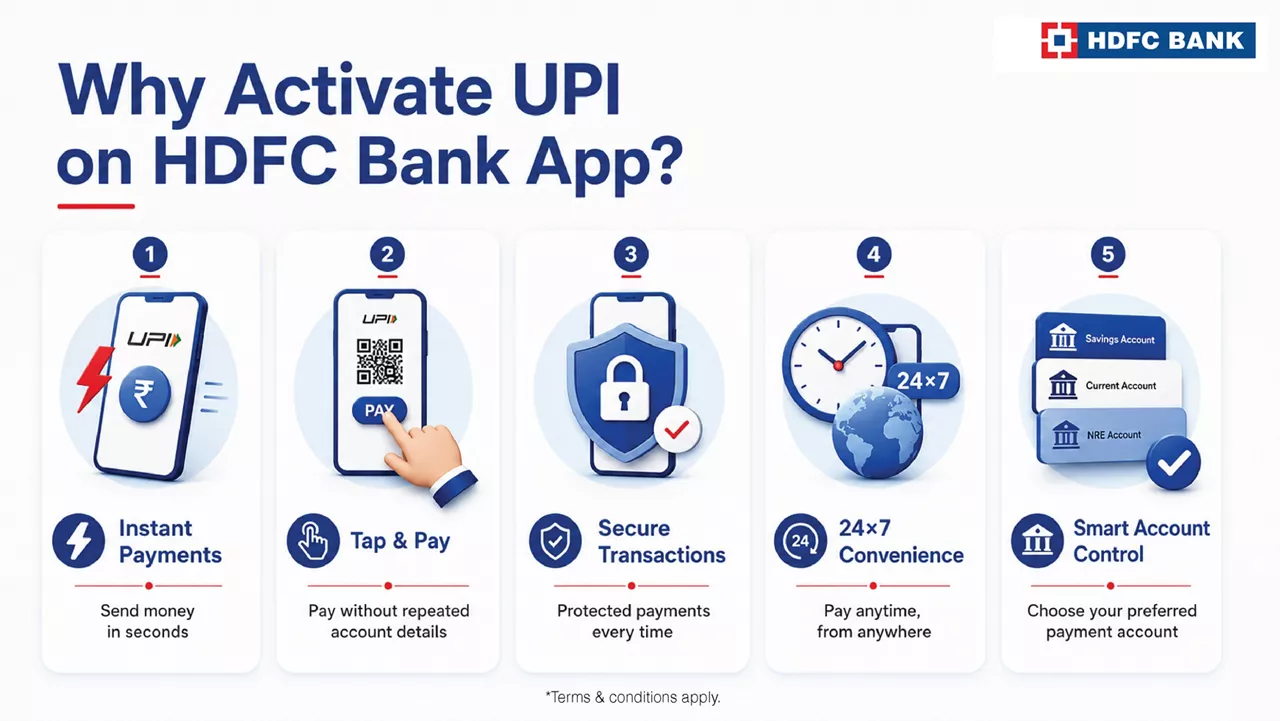
Here’s why you should consider activating UPI on the HDFC Bank App:
- Fast and Secure Payments: Transfer money or make payments instantly using a secure banking platform.
- Tap to Transactions: Pay merchants, friends, and businesses without entering bank account details repeatedly.
- 24x7 Convenience: Use UPI anytime to send or receive money, wherever you are.
- Easy Account Management: Choose your preferred primary bank account for all your UPI transactions and manage payments from a single app.
Summing up
Setting up UPI on the HDFC Bank App takes only a few minutes but makes everyday payments much more convenient. Once your UPI profile is ready, you can enjoy fast, secure and seamless digital transactions whenever you need them.
Experience HDFC Bank differently! Download the all-new HDFC Bank App
*Disclaimer: Terms and conditions apply. The information provided in this article is generic in nature and for informational purposes only. It is not a substitute for specific advice in your own circumstances.
The setup usually takes just a few minutes, provided your registered mobile number can be verified successfully.
Your registered mobile number is used to authenticate your bank account and securely link it to your UPI profile.
Yes, during setup, you can select the account you would like to use as your primary bank account for UPI transactions.
Yes, once the setup is complete and your UPI ID is created, you can start making UPI payments immediately.

Related Blogs
HDFC Bank App – All your banking needs, in one place