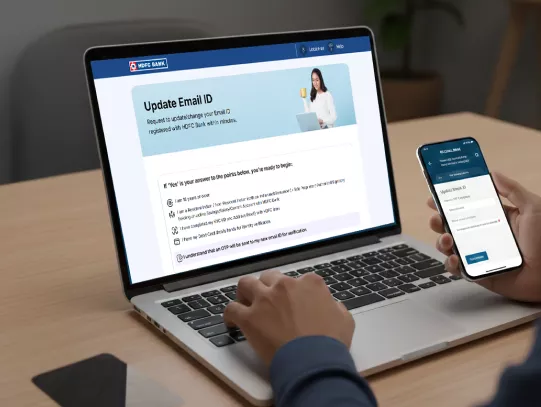


How to Update Your Email ID in HDFC Bank Account?

​​​Your email ID is more than just a contact detail. It’s the gateway for e-statements, transaction alerts and important updates from HDFC Bank. Keeping it current ensures uninterrupted services and helps enhance digital security.

Credit Guarantee Fund Trust For Micro And Small Enterprises CGTMSE

Methods to Update Email ID in Your Bank Account

Via Insta Services

  • Visit HDFC Bank InstaServices > “Update Email ID”.

  • Click on ‘let’s begin’ to start the journey.

  • Enter your registered mobile number along with DOB/PAN/customer ID for verification.

  • Enter the OTP received on the registered mobile number.

  • Read and agree to the terms and conditions and submit the OTP.

  • Select the Account you wish to update your Email ID for.

  • Enter your new email ID in the “enter new email address” field and verify using the OTP received on your registered mobile number.

  • Confirm your identity by entering the last 4 digits of your Debit Card, ATM PIN, expiry date, and CVV.

  • Submit and wait for confirmation via SMS/email.

Click here to get started

No need for collateral

Branch Visit

  • Collect the appropriate form from the branch.

  • Fill in all the details, including your new email ID.

  • Attach a valid photo ID proof.

  • Submit it at the nearest HDFC Bank branch to you. 

  • Collect an acknowledgement slip for tracking.

MI support 

Know More About Email ID Change in Bank Account

  • Valid photo ID proof (Aadhaar, PAN, Passport, or Voter ID).

  • Existing Debit Card or Customer ID details, if requested.

  • Filled Customer Updation Form.

  • OTP Not Received: Ensure your mobile network is stable and your number is updated with the bank.

  • Incorrect Email Format: Double-check for typos.

  • Unlinked Mobile Number: Update your mobile number first if it’s outdated.

  • Branch Delays: Processing may take up to a few working days.

  • Receive timely account alerts and e-statements.

  • Enhance security for online transactions.

  • Reduce the risk of missing critical updates about products or regulatory changes.

  • Keep your registered mobile number active for OTPs.

  • Ensure the new email ID is accessible before initiating the change.

  • Each Joint Account holder should update their email ID individually if required.

  • If confirmation is not received within a few days, contact HDFC Bank PhoneBanking. 

Pre-requisites Before You Change Email ID in Bank Account

Requirements to Change Email ID

  • Above 18 years of age
  • Completed KYC (ID and Address proof) with HDFC Bank.
  • Resident Indian with an active Savings/Salary/Current Account.
  • Valid Debit Card details handy for identity verification.
  • Verification OTP will be sent to your new Email ID.

Frequently Asked Questions

Online requests via MobileBanking or InstaServices are generally processed quickly but may take up to 4 working days. Branch requests can take a few days longer.

HDFC Bank does not charge customers for updating their email ID.

You’ll receive an SMS and/or email confirmation once your email ID is successfully updated.

You can change email ID in Bank Account online through MobileBanking, Phone Banking or InstaServices without visiting a branch.

Update Your Email ID in HDFC Bank Account Now!

