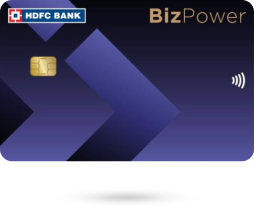
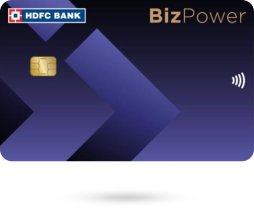
Biz Power

Click here to view the changes in HDFC Bank BizPower Business Credit Card effective 15th May 2026.

More benefits than ever before

Welcome Benefits

  • Get Amazon Prime membership or Rs. 1500 Amazon Voucher on 1 Tax (IT,GST) or Travel or Ads(Meta Ads, Google Ads) transaction in first 30 days of card issuance.

  • with effect from 25th October 2025, the welcome benefit will be applicable only to first-time cardholders. It will not apply to conversions, migrations or upgrades. T&C Apply.

Business Benefits

  • Earn 5 Reward Points on every ₹200 spent for your business needs (excluding petrol, wallet, rent, education, EMI) (1 Reward Point = Up to ₹0.65)

  • 5X Reward Points on Income Tax & GST payments, Bill Payments, Google Ads, Meta Ads, Reliance Digital, Hotel and Flight Bookings*

  • Instant discounts on business software like Google Workspace, Tally Prime, AWS, Microsoft Azure & more via Nuclei

  • Refer below for complete details – additional benefits

Milestone Benefits

  • Get a ₹5,000 MakeMyTrip/Reliance Digital voucher on quarterly retail spends of ₹2.5 Lakh (excluding petrol, IT, GST, EMI spends)(From 1st July, 2026)​

  • Get a ₹2,500 MakeMyTrip/Reliance Digital voucher on quarterly retail spends of ₹2.5 Lakh (excluding rent, petrol, EMI spends) (Until 30th June, 2026) T&C Apply.

Lounge & Travel Benefits

  • Get 2 domestic lounge access on spends of Rs. 75,000 in the previous calendar quarter.

  • Get 1 Zero cancellation MakeMyTrip voucher for domestic flight on spends of Rs.75,000 per calendar quarter.

  • 6 International lounge access via Priority pass per year.

  • Refer know more for complete details

Print

Additional Benefits

Save up to ₹1,70,205 annually on BizPower Credit Card*.

BizPower Calculator

Power your savings and get exclusive benefits.

Know More About the Card

Credit Card Management & Controls

    Netbanking

    To enable card controls for your HDFC Bank Credit Card through NetBanking, follow these steps:

    1. Log in to HDFC Bank NetBanking using your Customer ID.

    2. Go to the Cards Tab >Select the card > Click Manage card>Manage Domestic and International Limits.

    3. You will be able to view your existing daily domestic and international usage limits.

    4. Enable or disable Online, Contactless, and International usage based on your preference.

    5. Click ‘Update’, enter the OTP received on your registered mobile number, and then click ‘Continue’.

    6. Your selected card controls will be updated instantly.

    Mobile Banking

    To enable card controls for your HDFC Bank Credit Card conveniently through our HDFC Bank MobileBanking App, follow these steps:

    1. Open the HDFC Bank MobileBanking App and log in using your credentials.

    2. Go to the ‘Cards’ section from the menu.

    3. Select the HDFC Bank Credit Card for which you want to enable card controls.

    4. Click ‘Manage Limits’, then enable/disable transaction types such as Online Transactions, Contactless Payments, and International Usage, or set transaction limits according to your preference.

    5. Click ‘Update’ to confirm your changes and enter your MPIN. The updated card control settings will be applied instantly.

    For more detailed management, you can also use our MyCards platform at https://mycards.hdfc.bank.in/ which offers a seamless experience without the need for passwords or downloads.

    MyCards

    To enable card controls for your HDFC Bank Credit Card via MyCards, follow these steps:

    1. Visit the MyCards portal- https://mycards.hdfc.bank.in/ on your desktop or mobile.

    2. Log in using your registered mobile number and the OTP received.

    3. For first-time users, enter the last four digits of your card.

    4. On the card homepage, click the ‘Card Control’ tab.

    5. Enable/disable features such as Online Transactions, Contactless Transactions, International Usage, and set usage limits as per your preference.

    6. Confirm your settings, and the changes will be applied instantly.

    PayZapp

    You can conveniently enable card controls for your HDFC Bank Credit Card through PayZapp by following these steps:

    1. Open the PayZapp app and log in using your credentials.

    2. On the homepage, tap the ‘MyCards’ tab> Select ‘Go to MyCards’.

    3. Log in using your registered mobile number and the OTP sent to your mobile.

    4. If you are a first-time user, enter the last four digits of your HDFC Bank Credit Card.

    5. On the card homepage, tap the ‘Card Control’ tab.

    6. Enable or disable features such as Online Transactions, Contactless Transactions, and International Usage, or set usage limits according to your preference.

    7. Confirm your settings. The updated card control settings will be applied instantly.

    WhatsApp Banking

    To enable card controls for your HDFC Bank Credit Card using WhatsApp Banking, follow the steps given below:

    1. Add HDFC Bank’s official WhatsApp number – 7070022222– to your contacts.

    2. Send the text "Credit Card" to this number.

    3. You will receive a reply with options. Choose the option “Manage My Card”

    4. You will receive a reply with options to select “Domestic / International/ Enhance limits”

    5. Choose the option you want to enable, such as Domestic Online Transactions, Contactless Transactions, or International Transactions.

    6. Enter the transaction limit you want to set. An OTP will be sent to your registered mobile number. Enter the OTP to confirm the change.

    7. Enter the last 4 digits of your Credit Card number.

    8. The current status of the selected transaction type will be shown as Enabled.

    IVR

    To enable or modify your HDFC Bank Credit Card controls and transaction limits, you can contact HDFC Bank's toll-free numbers:

  • Toll-free numbers: 1800 1600 or 1800 2600 (available from 8 am to 8 pm)
  • For overseas travel assistance: 022-61606160
  • By contacting our toll-free numbers, you can enable/modify limits for Domestic, International, Online, Contactless, ATM, and POS transactions on your Debit or Credit Card.


Card Management & Controls

Card Benefits

  • Earn 5 Reward Points on every ₹200 spent for your business needs (1 Reward Point = Up to ₹0.65)

Earn 5X Reward Points on your select Business spends such as

Note: 5X Reward Points applicable on minimum spends ₹25,000 (excluding IT & GST spends) in statement cycle.
Earn maximum 7,500 Reward Points per statement cycle.
T&C apply

Make GST payment using Business Credit Card:

Pay Income Tax/ Advance Tax using Business Credit Card(eportal.incometax.gov.in):

  • Click here to view the steps.
  • Link your GST number with your business credit card for optimising Input Tax Credit, smarter expense-tracking, and hassle-free compliance.

    Steps to link:
    1. Write to customerservices.cards@hdfc.bank.in and initiate request to link GST number with the business credit card.
    2. Please furnish the documents (PAN & GST Document) that will be asked

SmartBuy BizDeals:

  • Save up to 40% on Business Travel & Software Purchases via SmartBuy

1. Business Travel Benefits via MMT MyBiz

  • 4% discount on flight and hotel bookings.
  • Enjoy discounted fares, free meals, seat selection, and low cancellation fees.

2. Business Productivity Tools via Nuclei

  • Instant discounts on business software like Google Workspace, Tally Prime, AWS, Microsoft Azure & more.
  • Get a GST invoice to claim Input Tax Credit.

Dining Benefits:

  • Pay with your HDFC Bank BizPower Card and enjoy 10% extra off* on dining bills at 35K+ restaurants! Click here to Know more.
Card Benefits

Welcome & Milestone Benefits

Welcome Benefits:


  • Get Amazon Prime membership or Rs. 1500 Amazon Voucher on 1 Tax (IT,GST) or Travel or Ads(Meta Ads, Google Ads) transaction in first 30 days of card issuance.

  • with effect from 25th October 2025, the welcome benefit will be applicable only to first-time cardholders. It will not apply to conversions, migrations or upgrades.
    T&C Apply.

Milestone Benefits:

  • Get a ₹5,000 MakeMyTrip/Reliance Digital voucher on quarterly retail spends of ₹2.5 Lakh (excluding petrol, IT, GST, EMI spends)(From 1st July, 2026)​
  • Get a ₹2,500 MakeMyTrip/Reliance Digital voucher on quarterly retail spends of ₹2.5 Lakh (excluding rent, petrol, EMI spends) (Until 30th June, 2026) ​T&C Apply
Welcome and Milestone Benefits

Reward Point/RewardBack Redemption & Validity

Reward Points can be redeemed as:
Click here to know how to redeem your reward points

       1 Reward Point  Equivalent to     For Example,
Redeem as CashBack against statement  ₹0.15 1000 RP = ₹150
Redeem on SmartBuy (against Flights/Hotel booking) Up to ₹0.5 1000 RP = Up to ₹500
Redeem against Product Catalogue via Netbanking & SmartBuy Up to ₹0.35 1000 RP = Up to ₹350
Airmiles conversion via Netbanking  Up to 0.5 Airmiles 1000 RP = Up to 500 Airmiles
Redeem against Business Catalogue via Netbanking & SmartBuy Up to ₹0.65 1000 RP = Up to ₹650 
  • A minimum of 2500 RP is needed to redeem Reward Points against statement balance.
  • Flights and Hotels redemption, Credit Card members can redeem up to a maximum of 50% of the booking value through Reward Points. Rest of the transaction amount will have to be paid via the Credit Card limit 
  • With effect from 1st February 2023, cardmembers can redeem up to 70% of product/Voucher value through Reward Points on select vouchers/products and pay the remaining amount via Credit card. 
  • Unredeemed Reward Points will expire/lapse after 2 year of accumulation. 
  • The maximum 60,000 Reward Points can be earned in a statement cycle.
  • Maximum of 500 reward points can be earned in a calendar month on UPI spends through RuPay Credit Card.
Reward Point/RewardBack Redemption & Validity

Get started with your card

  • PIN Setting Process:

Set PIN for your card by following any of the below option:

1. By Using MyCards :

  • Visit HDFC Bank MyCards - https://mycards.hdfc.bank.in/
  • Enter registered Mobile no and Authenticate using OTP
  • Select "Biz Power Credit Card"
  • Choose Set Pin and enter your 4 digit pin

2. By using IVR: Call 1860 266 0333 from registered mobile number

  • Key in last 4 digits of your Business Credit Card No
  • Validate with OTP sent on registered mobile no
  • Set 4 digit Pin of your choice

3. By using Mobile banking:

  • Login to Mobile Banking
  • Go to "Cards" Section and Select "Biz Power Credit Card"
  • Choose Change Pin and Enter your 4 digit Pin & confirm
  • Authenticate using OTP
  • Pin Generated Successfully

4. By using Net banking:

  • Login to Net banking
  • Click on "Cards" and visit "Request" Section
  • Choose Instant Pin generation
  • Select card number and enter your 4 digit Pin

For more details click here

  • Contactless Payment:

Your HDFC Bank Biz Power Credit Card is enabled for contactless payments, facilitating fast, convenient, and secure payments at retail outlets.
Please note that in India, payment through contactless mode is allowed for a maximum of ₹5000 for a single transaction where you are not asked to input your Credit Card PIN.
However, if the amount is higher than or equal to ₹5000, the Card holder has to enter the Credit Card PIN for security reasons

  • Manage your Card on the go:

Now access your HDFC Bank Biz Power Credit Card 24/7 on the go with our HDFC Bank MyCards platform

  • Enable online & contactless usage
  • View - Transaction, Reward Points, Statements & more.
  • Manage - online usage, contactless usage, set limits, enable & disable
  • Check - Credit card outstanding, due date and more

For more details, click here.

  • Set Card Control:

You can enable the services using MyCards (preferred) / WhatsApp Banking / Net Banking / PhoneBanking IVR​.
Click Here for more details

Customer care details:

Get started with your card

Fees & Charges

The HDFC Bank Biz Power Credit Card offers exclusive benefits with the following fee structure:

  • Joining/Renewal Membership Fee: ₹2,500 plus applicable taxes.
  • Fee & Charges: Click here to view the complete details.
  • Renewal Fee Waiver: Spend ₹4 lakhs in an anniversary year (12 billing cycles) to get the renewal fee waived for the next year. 
Fees & Charges

Lounge & Travel Benefits

Domestic Lounge and Travel Benefits:

  • 2 Domestic Airport Lounge visits + 1 Zero Domestic Flight Cancellation Voucher(powered by MMT) per calendar quarter on spends of ₹75,000 in the previous quarter
  • Click here to know more about Zero Domestic Flight cancellation voucher (powered by MMT)​
  • Eligible cardholders enjoy 2 complimentary domestic lounge visits from 5th of each calendar quarter
    Click Here to Know More
  • Click Here to check the list of eligible domestic lounges

International airport lounge:

  • Cardholders can access international lounge using Priority Pass
  • You can apply for Priority Pass for self and add on members once you complete minimum 4 retail transactions on your Biz Power Credit Card.
  • Click here to apply for Priority Pass for self and add-on members.
  • 6 International lounge access via Priority Pass*/ Year
  • Click here to know more. You can visit www.prioritypass.com for complete list of lounge details.
  • For RuPay Card, Priority Pass is not required to access complimentary 6 international lounge access. Cardholders can access international lounge using their RuPay Card.​
  • Click here to check the list of international lounges for Rupay


Lounge Access

Platform Benefits

  • Get up to 10X Reward Points on Flipkart, MakeMyTrip, Apple Imagine Tresor, on SmartBuy (capped at 4,000 Reward Points per month)

SmartPay:

  • SmartPay is an automatic payment facility available on your Credit Card to pay your utility bills.
  • Get assured CashBack up to ₹1800 in the first year and exciting e-vouchers worth up to ₹800 for adding 2 or more bills on Smart Pay.

Steps to enable SmartPay on Netbanking​​​​​​​:

  • BillPay & Recharge > Continue > Add Biller > Select Category > Enter Details and Enable Smartpay on Debit/Credit Card Or Cards> Credit cards> Smart Pay> Continue > Add Biller > Select Category > Enter Details and Enable Smartpay on Debit/Credit Card> Choose Biz Power Credit Card

Steps to enable SmartPay on Mobile Banking:

  • ​​Bill Payments > Add Biller > Select Biller Type> Enter Details and Enable Smartpay on Debit/Credit Card > Choose Biz Power Credit Card
Card Reward and Redemption

Smart EMI

  • Convert your big spends into EMI after purchase. To know more Click Here

Easy EMI:

  • Choose EMI option for your large online or in-store purchases using your Biz Power Credit Card and avail easy repayments using Easy EMI.
  • Easy EMI Plan details such as EMI Amount, Total Loan Amount, Rate of Interest will be displayed in the charge slip (in-store purchases) or at the time of transaction (online purchases)

Click Here to know more.

Smart EMI

Zero Lost card liability

  • In the unfortunate event of losing your HDFC Bank Biz Power Credit Card, on reporting it immediately to our 24-hour call centre, you have zero liability on any fraudulent transactions made on your Credit Card.
  • Credit liability cover: ₹9 lakh
Zero Lost card liability

Business Insurance Benefit

  • Cardholders have the option to choose higher Business Insurance cover as per their Business need.

Click here to Apply

  • List of Business Insurance plans:
Business Insurance Annual Plan Details Insurance Plan 1 Insurance Plan 2 Insurance Plan 3 Insurance Plan 4
Fire & Burglary insurance for Shop (excluding Theft) 5,00,000 10,00,000 20,00,000 50,00,000
Cash in Safe 25,000 50,000 1,00,000 2,50,000
Cash in Transit 25,000 50,000 1,00,000 2,50,000
Electronic Equipment insurance (excluding terrorism) 50,000 1,00,000 2,00,000 2,50,000
Hospital Cash: Accident Only Amount Payable/ Day
(30 Days Cover)
1,000 1,500 2,000 5,000
Hospital Cash: Illness Only Amount Payable/ Day
(30 Days Cover)
1,000 1,500 2,000 5,000
Total Premium without GST 3,207 6,221 12,442 23,886
Total Premium with GST 3,785 7,341 14,681 28,185

T&C apply

Business Insurance Benefit

Eligibility

  • HDFC Bank Biz Power Credit Card Eligibility :
  • A Self Employed Indian Citizen aged between 21 yrs. to 65 Yrs.
  • Annual ITR above Rs 12 Lakhs
  • (Customers can apply credit card using ITR, GST returns)
Fees & Charges

Most Important Terms and Conditions

  • *The Most Important Terms and Conditions for each of our banking offerings features all the specific terms and conditions that govern their use. You must go through it thoroughly to fully understand the terms and conditions applicable to any banking product you choose.
Most Important Terms and Conditions

Application Process

Online application process:

  • Step 1 - Provide & validate your Phone Number & Date of Birth/PAN
  • Step 2- Confirm your details
  • Step 3- Select your Card
  • Step 4- Submit & Receive your Card*

*In certain cases, uploading documents and completing video KYC might be required.

no data

Frequently Asked Questions

Self-employed Indian citizens aged 21 to 65 years with an annual ITR above ₹12 lakh are eligible. The applications can be processed using ITR filings, GST returns, bank statements, and merchant payment reports.

The documents required to apply for an HDFC Bank Biz Power Credit Card are:

  • Income Tax Return (ITR)
  • GST Returns

Joining fee/ Renewal fee of ₹2500 /-+ Applicable Taxes is applicable on HDFC Biz Power Credit Card.

Cardholders should spend more than ₹25,000 (excluding IT & GST spends) in a statement cycle to avail 5X Reward points on Business spends.

Cardholders will be charged the first year joining fee after 120 days of card issuance

Click here to read more frequently asked questions.

BizPower Business Credit Card

  • 5X Reward Points on Tax, GST & Bill payments
  • ₹2500 MMT/Reliance Digital Milestone Benefit Voucher
  • Up to 8% savings on Business Spends
Biz Black Credit Card