What's In Store For You

Additional Benefits






Know more about the card
-
Credit Card Management & Controls
-
Maximise Business Savings
-
Welcome & Milestone Benefits
-
Reward Point/Cashback Redemption & Validity
-
SmartBuy BizDeals
-
Lounge Benefits
-
Concierge Services
-
Additional Features
-
Card Benefits
-
SmartPay
-
Business Insurance
-
Fees & Charges
-
Eligibility
-
Most Important Terms & Conditions


Frequently Asked Questions
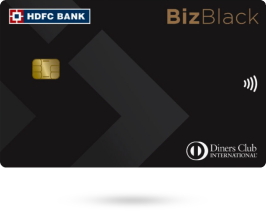
To be eligible for the HDFC Bank Biz Black Metal Edition Credit Card, you must:
Be a self-employed Indian citizen aged 21 to 65 years.
Have an annual Income Tax Return (ITR) above ₹30 lakh.
You must submit one of the following documents to apply for the Credit Card:
Income Tax Return (ITR)
GST Returns
Here are some of the salient features of the Biz Black Metal Edition Credit Card:
Extended Credit Period: Get up to 55 days of interest-free credit on all business expenses.
Core Rewards: Earn 5 reward points on every ₹150 spent (excluding petrol, wallet, rent, education, and EMI transactions).
Accelerated Rewards:
Get 5X reward points on spends exceeding ₹50,000 per statement cycle, capped at 7,500 RP per cycle, on business spends such as:
Telecom & Utility payments via SmartPay & PayZapp
Income Tax/Advance Tax payments via eportal.incometax.gov.in
GST payments via payment.gst.gov.in
Hotel & flight bookings on MMT MyBiz (powered by SmartBuy BizDeals)
Business productivity tools like Tally, Office 365, AWS, Google, Credflow, Azure, and more via SmartBuy BizDeals – Nuclei
The following are some of the notable benefits of the Credit Card:
Get a Club Marriott membership and a ₹5,000 Taj Stay voucher on spending ₹1.5 lakh within 90 days of card issuance.
Earn a ₹5,000 Flight or Taj Stay voucher on every ₹5 lakh spent.
Get vouchers worth up to ₹20,000 on spending ₹20 lakh in a calendar year.
Avail a Business Insurance package at an annual premium of ₹3,785 (including GST).
Unlimited airport lounge access to 1,000+ lounges globally for primary and add-on cardholders (only for active cards).
To get started, follow these steps:
PIN Setting Process:
Set PIN for your card by following any of the below option:
1. By Using MyCards :
Visit HDFC Bank MyCards - https://mycards.hdfcbank.com/
Enter registered Mobile no and Authenticate using OTP
Select "Biz Black Credit Card"
Choose Set Pin and enter your 4-digit pin
2. By using IVR:
Call 1860 266 0333 from registered mobile number
Key in last 4 digits of your Business Credit Card No
Validate with OTP sent on registered mobile no
Set 4-digit Pin of your choice
3. By using Mobile Banking:
Login to Mobile Banking
Go to "Cards" Section and Select "Biz Black Credit Card"
Choose Change Pin and Enter your 4-digit Pin & confirm
Authenticate using OTP
Pin Generated Successfully
4. By using NetBanking:
Login to NetBanking
Click on "Cards" and visit "Request" Section
Choose Instant Pin generation
Select card number and enter your 4-digit Pin
For more details click here
You access your HDFC Bank Biz Black Credit Card 24/7 on the go with our HDFC Bank MyCards platform.
Enable online & contactless usage
View - Transaction, Reward Points, Statements & more.
Manage - online usage, contactless usage, set limits, enable & disable
Check - Credit card outstanding, due date and more
For more details, click here.
Set Card Control
You can enable the services using MyCards (preferred)/ EVA / WhatsApp Banking / NetBanking.
Click Here for more details.
To read more FAQs, click here.