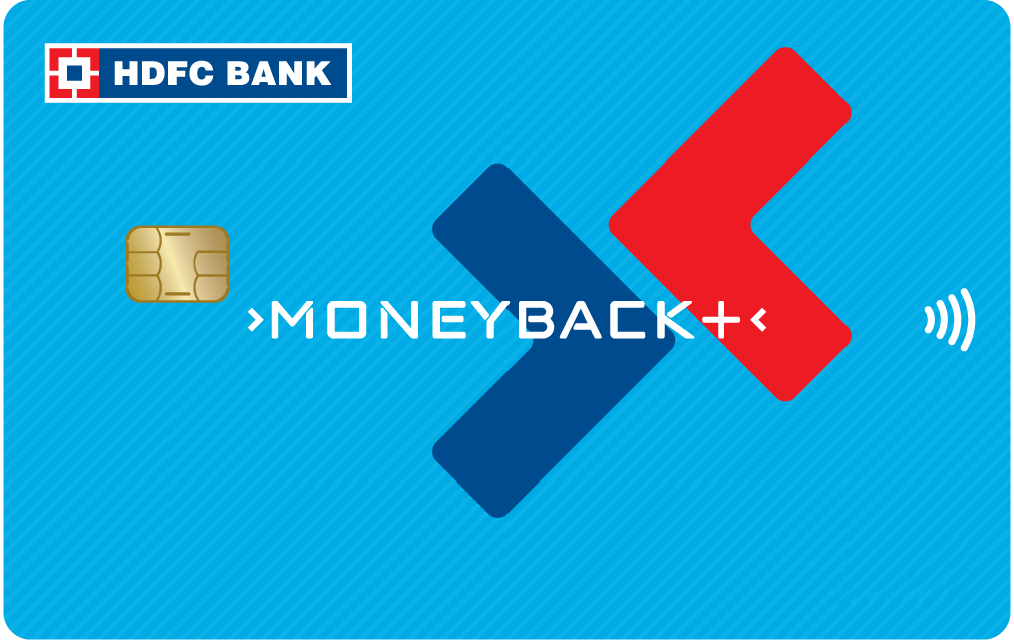
Moneyback plus credit card

Click here to view the changes in HDFC Bank MoneyBack Plus Credit Card effective 15th May 2026.

More rewards than ever before

Dining Benefits

  • Get additional 10% off on Swiggy Dineout

Milestone Benefits

  • Gift Voucher worth ₹500 on spends of ₹50,000 per calendar quarter*

  • Note: Already Qualified for Milestone voucher: Click here to redeem
  • For Steps to redeem the Milestone voucher, Click here

Cashpoint Benefits

  • 10X CashPoints ( Upto 2.5% valueback ) on Amazon, Flipkart, Swiggy and more

Print
ads-block-img

Additional Benefits

Wondering if you are eligible?

Salaried

  • Nationality: Indian
  • Age: Minimum 21 years & Maximum 60 years
  • Income: Net Monthly Income > ₹20,000

Self-Employed

  • Nationality: Indian
  • Age: Minimum 21 years & Maximum 65 years
  • Income: ITR > ₹6 Lakh per annum
Print

Save up to Rs. 10,000* annually just like 30 lakh + HDFC Bank MoneyBack Plus Credit card holders

Millennia Credit Card

Apply Now in 3 Easy Steps:

The Steps are:

  • Step 1 - Provide & validate your Phone Number & Date of Birth/PAN
  • Step 2- Confirm your details
  • Step 3- Select your Card
  • Step 4- Submit & Receive your Card*

*In certain cases, uploading documents and completing video KYC might be required.

Moneyback Plus Credit Card

Know more about the card

Credit Card Management & Controls

    Netbanking

    To enable card controls for your HDFC Bank Credit Card through NetBanking, follow these steps:

    1. Log in to HDFC Bank NetBanking using your Customer ID.

    2. Go to the Cards Tab >Select the card > Click Manage card>Manage Domestic and International Limits.

    3. You will be able to view your existing daily domestic and international usage limits.

    4. Enable or disable Online, Contactless, and International usage based on your preference.

    5. Click ‘Update’, enter the OTP received on your registered mobile number, and then click ‘Continue’.

    6. Your selected card controls will be updated instantly.

    Mobile Banking

    To enable card controls for your HDFC Bank Credit Card conveniently through our HDFC Bank MobileBanking App, follow these steps:

    1. Open the HDFC Bank MobileBanking App and log in using your credentials.

    2. Go to the ‘Cards’ section from the menu.

    3. Select the HDFC Bank Credit Card for which you want to enable card controls.

    4. Click ‘Manage Limits’, then enable/disable transaction types such as Online Transactions, Contactless Payments, and International Usage, or set transaction limits according to your preference.

    5. Click ‘Update’ to confirm your changes and enter your MPIN. The updated card control settings will be applied instantly.

    For more detailed management, you can also use our MyCards platform at https://mycards.hdfc.bank.in/ which offers a seamless experience without the need for passwords or downloads.

    MyCards

    To enable card controls for your HDFC Bank Credit Card via MyCards, follow these steps:

    1. Visit the MyCards portal- https://mycards.hdfc.bank.in/ on your desktop or mobile.

    2. Log in using your registered mobile number and the OTP received.

    3. For first-time users, enter the last four digits of your card.

    4. On the card homepage, click the ‘Card Control’ tab.

    5. Enable/disable features such as Online Transactions, Contactless Transactions, International Usage, and set usage limits as per your preference.

    6. Confirm your settings, and the changes will be applied instantly.

    PayZapp

    You can conveniently enable card controls for your HDFC Bank Credit Card through PayZapp by following these steps:

    1. Open the PayZapp app and log in using your credentials.

    2. On the homepage, tap the ‘MyCards’ tab> Select ‘Go to MyCards’.

    3. Log in using your registered mobile number and the OTP sent to your mobile.

    4. If you are a first-time user, enter the last four digits of your HDFC Bank Credit Card.

    5. On the card homepage, tap the ‘Card Control’ tab.

    6. Enable or disable features such as Online Transactions, Contactless Transactions, and International Usage, or set usage limits according to your preference.

    7. Confirm your settings. The updated card control settings will be applied instantly.

    WhatsApp Banking

    To enable card controls for your HDFC Bank Credit Card using WhatsApp Banking, follow the steps given below:

    1. Add HDFC Bank’s official WhatsApp number – 7070022222– to your contacts.

    2. Send the text "Credit Card" to this number.

    3. You will receive a reply with options. Choose the option “Manage My Card”

    4. You will receive a reply with options to select “Domestic / International/ Enhance limits”

    5. Choose the option you want to enable, such as Domestic Online Transactions, Contactless Transactions, or International Transactions.

    6. Enter the transaction limit you want to set. An OTP will be sent to your registered mobile number. Enter the OTP to confirm the change.

    7. Enter the last 4 digits of your Credit Card number.

    8. The current status of the selected transaction type will be shown as Enabled.

    IVR

    To enable or modify your HDFC Bank Credit Card controls and transaction limits, you can contact HDFC Bank's toll-free numbers:

  • Toll-free numbers: 1800 1600 or 1800 2600 (available from 8 am to 8 pm)
  • For overseas travel assistance: 022-61606160
  • By contacting our toll-free numbers, you can enable/modify limits for Domestic, International, Online, Contactless, ATM, and POS transactions on your Debit or Credit Card.

Card Management & Controls

Fees & Charges

  • Joining/Renewal Membership Fee – ₹500/- + Applicable Taxes

  • Spend ₹50,000 or more in a year, before your Credit Card renewal date and get your renewal fee waived off 

Please click here for detailed fees and charges applicable on your HDFC Bank MoneyBack+ Credit Card.

NOTE: For card sourced starting 01-11- 2020, Below T&Cs is applicable  

The Bank reserves the right to cancel the Card in case the Card remains inactive and is not used for effecting any transaction for a continuous period of 6 (Six) months after prior written notice sent on the email address and/or phone number and/or communication address, registered in the records of the Bank.

Fees & Charges

Redemption Value

  • 1 CashPoint = Upto ₹ 0.25

  • CashPoints can be redeemed via HDFC Bank NetBanking or by visiting and filling the physical redemption form in the nearest HDFC Bank branch

  • CashPoints Redemption against each category can be redeemed at:

1 CashPoint Equivalent to
Product Catalogue Upto ₹ 0.25 
Unified SmartBuy Portal (on Flights/ Hotel Bookings)  Upto ₹ 0.25 
CashBack ₹ 0.2 
Airmiles 0.25 airmiles
Smart EMI

Redemption Limit

  • A minimum balance of Rs. 500 equivalent CashPoints is required for redemption against the statement.

  • CashPoints can be redeemed up to 50% of the booking value for Flights and Hotel booking. The remaining amount will have to be paid via Credit Card.  

  • With effect from 1st January 2023, CashPoint redemption for Flights and Hotel bookings are capped per month at 50,000 CashPoints.

  • With effect from 1st February 2023, 

    • CashPoint redemptions are capped per month upto 3,000 CashPoints.

    • Up to 70% of Product/ Voucher Value can be redeemed through CashPoints on select products/ vouchers. The remaining amount must be paid via Credit Card.

Key Image

Contactless Payment

  • HDFC Bank MoneyBack+ Credit Card is enabled* for Contactless Payments at retail outlets.

(Note: In India, payment through contactless mode is allowed for a maximum of ₹5,000 for a single transaction where you are not asked to input your Credit Card PIN. However, if the amount is higher than or equal to ₹5,000, the Card holder must enter the Credit Card PIN for security reasons. You may check for the Contactless Network Symbol on your card.) 

Contacless Payment

Additional Features

Zero Lost Card Liability

  • Available on any fraudulent transactions made on your Credit Card if reported immediately to HDFC Bank’s 24-hour Call Centre.

Revolving Credit

  • Available at a nominate nominal interest rate. (Check Fees and Charges section for more details)

Validity

  • Unredeemed CashPoints will expire/ lapse after 2 years of accumulation
Additional Features

Most Important Terms and Conditions

  • *The Most Important Terms and Conditions for each of our banking offerings features all the specific terms and conditions that govern their use. You must go through it thoroughly to fully understand the terms and conditions applicable to any banking product you choose.
  • Click here to access all important links related to your Credit Card.
  • For more details on the card benefits:, click here
Card Management and Control

Application Channels

You can choose any of the following easy options to apply for your HDFC Bank Credit Card:

  • 1. Website
    You can quickly apply online by clicking here.
  • 2. NetBanking
    If you're an existing HDFC Bank customer, simply log in to NetBanking and apply from the ‘Cards’ section.
  • 3. HDFC Bank Branch
    Prefer a face-to-face interaction? Just visit your nearest branch and our staff will help you with the application.
Card Management and Control

Frequently Asked Questions

The MoneyBack+ Credit Card is a versatile card offered by HDFC Bank, providing a range of benefits such as reward points, EMI and a fuel surcharge waiver. This card combines the flexibility of EMI transactions with the added advantage of earning reward points on various expenditures which you can exchange for exciting rewards.

To apply for the MoneyBack+ Credit Card, a healthy credit score is essential. While specific credit score requirements can vary, a score typically above 650 is recommended for a higher chance of approval. Maintaining a good credit score demonstrates financial responsibility and enhances the chances of a successful credit card application.

The credit limit for the MoneyBack+ Credit Card is determined by various factors, including the applicant's creditworthiness, financial history, and income. HDFC Bank assesses each application individually, tailoring the credit limit to align with the applicant's financial profile. Higher incomes and stronger credit histories generally result in more substantial credit limits.

You can apply for this card only by clicking here. Other than the official HDFC Bank website, you can also go to the nearest HDFC branch to find the online application form. Fill out the application form. Once submitted, the bank will review the application. Upon approval, the MoneyBack+ Credit Card will be issued.
For More Frequently Asked Questions

Earn More on Every Swipe!

  • 10X on top brands
  • Fuel waiver
  • Annual fee waiver
Millennia Credit Card