
We have lots for you in store
Types of POS Machines




More About POS Machines
Frequently Asked Questions
MDR is the commission a merchant’s acquiring bank charges the merchant for processing transactions.
To get a Card Swipe POS Machine, you need to set up your HDFC Bank Merchant Account and request your bank executive to set up your SmartHub solutions account. Alternatively, you can request that an executive from HDFC Bank contact you for the setup.
Near-Field Communication also called NFC is a feature in your POS device supported by a digitalise tag that helps you accept contactless payments from the cardholder.
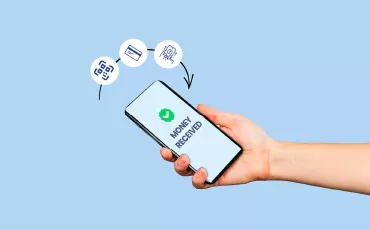
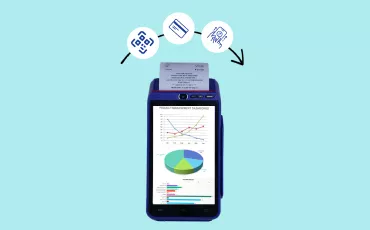
A Card Swipe POS Machine works by allowing the merchant to tap, dip, or swipe Debit and Credit Cards, or scan and pay using multiple payment platforms. It is a single machine for all payment methods other than cash, which ensures secure and encrypted transactions across different modes.
If you have retail stores such as supermarkets, fashion stores, restaurants, etc., and accept digital payments, you can rely on POS to process all transactions quickly and hassle-free.
According to RBI guidelines, transaction values up to ₹5,000 can be made using NFC cards without any authentication/pin.
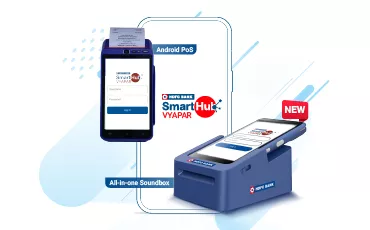
POS is a Point-Of-Sale machine given by HDFC Bank that accepts all forms of digital transactions other than your card transactions, such as SMS pay, UPI/BQR, NFC (tap &pay), EMI transactions, etc.
MPR stands for Merchant Payout Report. This report contains details of all the successful transactions made on your payment POS device and will help you tally your transactions.
A POS transaction comprises the following:
- Merchant: the business that sells goods and services
- Acquiring bank: the merchant’s bank or the bank that has installed the POS system
- Cardholder: the customers or consumers
- Issuing bank: the bank that has issued the card or digital payment App to the customer
- Card network: Payment processors or transaction routing and settling agencies
Top 30 cities - Within 2 working days.
Beyond 30 cities - Within 4 working days.
The Card Swipe POS Machine is wireless and requires a high-speed WiFi connection for operation. Alternatively, you may also use a SIM card for the device’s functioning. It’s important to ensure that the device has a stable internet connection for seamless transactions.
HDFC Bank’s POS system has a FlexiCurrency feature, allowing merchants to accept payments in international currencies. As a business owner, you can accept payments in 110+ foreign currencies.
Sound Box is an audio-assisted smart device that provides instant notifications for each successful payment receipt. It is portable, has voice confirmation for daily payment alerts, and has SIM-based connectivity.
A sound box makes your transaction process faster as you do not have to spend time to check if you have received your payment. When a customer makes a payment by scanning a QR code, the sound box will notify you of successful payments with a loud alert.
POS machines allow you to accept almost all types of debit and credit cards. However, the decision to accept cards of certain specific networks lies with you. Payment processors or card networks typically charge merchants a fee to process card transactions.
A transaction in which the issuing bank is also the acquiring bank is termed an ON-US transaction. Transactions in which the issuing and acquiring banks are different entities are called OFF-US transactions.
Funds processed using a POS swipe machine shall be settled within 24 hours.
Once created, static QR codes cannot be edited, as customers must manually enter the amount every time they make a transaction. Dynamic QR codes change with every new transaction and customers need not enter the amount manually. When they scan the QR code on their mobile devices, the amount is automatically displayed along with the merchant’s bank details. They only need to verify the transaction by entering the PIN.
You need to get in touch with an HDFC Bank executive to get a POS system for your business. Click here to get started or visit your nearest HDFC Branch.
POS stands for Point of Sale. It refers to a location, such as a merchant store, where customers are billed to purchase goods and services. A POS terminal is the last point of your customer’s shopping journey.
The bank sends you a daily Merchant Payout Report (MPR) via email with details of your daily transactions.