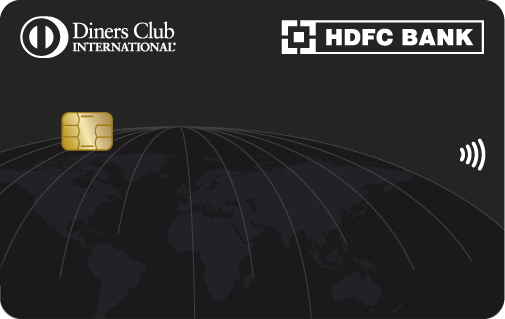
Diners Club Black Metal Edition Credit Card

Diners Black Metal Credit Card Calculator

Your companion for a life of exclusive escapes.

More Rewards Than Ever Before

Welcome Benefits

  • Annual memberships of Club Marriott, Amazon Prime and Swiggy One on 1.5 Lakh spends in first 90 days

Lounge Benefits

  • Unlimited lounge access to 1,300+ lounges in India and abroad for primary and add-on card members.

  • For Domestic lounge list, click here

  • For International lounge list, please check Diners Travel Tool App

  • Click here for TnC

Reward Benefits

  • Spend 4 Lakh or more in a calendar quarter to get 10,000 Bonus Reward Points.

  • Redeem Reward Points on SmartBuy at up to 1:1 ratio

Print

Additional Benefits

Wondering If You Are Eligible?

Salaried

  • Nationality: Indian
  • Age: 21 - 60 years
  • Net Income (Monthly) > ₹2.5 lakh per month 

Self-employed

  • Nationality: Indian
  • Age: 21 - 65 years
  • Net Income > ₹30 lakh per annum

Ready to elevate your dining experience?

Step into a world where every meal feels extraordinary.

Corporate Credit Card

Documents Required To Get You Started

Identity Proof

  • Passport
  • Aadhaar card
  • Voter ID
  • Driving license
  • PAN card
  • Passport size photographs

Address Proof

  • Utility bills (electricity, water, gas, or telephone)
  • Rental agreement 
  • Passport
  • Aadhaar card
  • Voter ID

Income Proof

  • Salary slips (for salaried individuals)
  • Income Tax Returns (self-employed)
  • Form 16
  • Bank statements

Apply Now in 3 Easy Steps:

The Steps are:

  • Step 1 - Provide & validate your Phone Number & Date of Birth/PAN
  • Step 2- Confirm your details
  • Step 3- Select your Card
  • Step 4- Submit & Receive your Card*

*In certain cases, uploading documents and completing video KYC might be required.

no data

Know More About The Card

Credit Card Management & Controls

    Netbanking

    To enable card controls for your HDFC Bank Credit Card through NetBanking, follow these steps:

    1. Log in to HDFC Bank NetBanking using your Customer ID.

    2. Go to the Cards Tab >Select the card > Click Manage card>Manage Domestic and International Limits.

    3. You will be able to view your existing daily domestic and international usage limits.

    4. Enable or disable Online, Contactless, and International usage based on your preference.

    5. Click ‘Update’, enter the OTP received on your registered mobile number, and then click ‘Continue’.

    6. Your selected card controls will be updated instantly.

    Mobile Banking

    To enable card controls for your HDFC Bank Credit Card conveniently through our HDFC Bank MobileBanking App, follow these steps:

    1. Open the HDFC Bank MobileBanking App and log in using your credentials.

    2. Go to the ‘Cards’ section from the menu.

    3. Select the HDFC Bank Credit Card for which you want to enable card controls.

    4. Click ‘Manage Limits’, then enable/disable transaction types such as Online Transactions, Contactless Payments, and International Usage, or set transaction limits according to your preference.

    5. Click ‘Update’ to confirm your changes and enter your MPIN. The updated card control settings will be applied instantly.

    For more detailed management, you can also use our MyCards platform at https://mycards.hdfc.bank.in/ which offers a seamless experience without the need for passwords or downloads.

    MyCards

    To enable card controls for your HDFC Bank Credit Card via MyCards, follow these steps:

    1. Visit the MyCards portal- https://mycards.hdfc.bank.in/ on your desktop or mobile.

    2. Log in using your registered mobile number and the OTP received.

    3. For first-time users, enter the last four digits of your card.

    4. On the card homepage, click the ‘Card Control’ tab.

    5. Enable/disable features such as Online Transactions, Contactless Transactions, International Usage, and set usage limits as per your preference.

    6. Confirm your settings, and the changes will be applied instantly.

    PayZapp

    You can conveniently enable card controls for your HDFC Bank Credit Card through PayZapp by following these steps:

    1. Open the PayZapp app and log in using your credentials.

    2. On the homepage, tap the ‘MyCards’ tab> Select ‘Go to MyCards’.

    3. Log in using your registered mobile number and the OTP sent to your mobile.

    4. If you are a first-time user, enter the last four digits of your HDFC Bank Credit Card.

    5. On the card homepage, tap the ‘Card Control’ tab.

    6. Enable or disable features such as Online Transactions, Contactless Transactions, and International Usage, or set usage limits according to your preference.

    7. Confirm your settings. The updated card control settings will be applied instantly.

    WhatsApp Banking

    To enable card controls for your HDFC Bank Credit Card using WhatsApp Banking, follow the steps given below:

    1. Add HDFC Bank’s official WhatsApp number – 7070022222– to your contacts.

    2. Send the text "Credit Card" to this number.

    3. You will receive a reply with options. Choose the option “Manage My Card”

    4. You will receive a reply with options to select “Domestic / International/ Enhance limits”

    5. Choose the option you want to enable, such as Domestic Online Transactions, Contactless Transactions, or International Transactions.

    6. Enter the transaction limit you want to set. An OTP will be sent to your registered mobile number. Enter the OTP to confirm the change.

    7. Enter the last 4 digits of your Credit Card number.

    8. The current status of the selected transaction type will be shown as Enabled.

    IVR

    To enable or modify your HDFC Bank Credit Card controls and transaction limits, you can contact HDFC Bank's toll-free numbers:

  • Toll-free numbers: 1800 1600 or 1800 2600 (available from 8 am to 8 pm)
  • For overseas travel assistance: 022-61606160
  • By contacting our toll-free numbers, you can enable/modify limits for Domestic, International, Online, Contactless, ATM, and POS transactions on your Debit or Credit Card.

Card Management & Controls

Fees and charges

  • Joining/Renewal Membership Fee – ₹10,000/- plus Applicable Taxes .
  • Spend ₹ 8 lakh in 12 Months and get Renewal Fee waived for next renewal year 

Click here fees and charges details  

Foreign Currency Markup

Redemption Value

  • You can redeem your Reward Points on SmartBuy or NetBanking. 

  • Reward Points Redemption against each category can be redeemed at:

1 Reward point Equivalent to
SmartBuy (Flight and hotel bookings) ₹1
Airmiles conversion Up to 1.0 airmile
Products and Voucher up to ₹0.50
Cashback up to ₹0.30
Redemption Value

Redemption Limit

  • Reward Points can be redeemed up to 70% of the booking value for Flights and Hotel booking. The remaining amount will have to be paid via Credit Card.   

  • Click here for detailed T&C

Redemption Limit

Smart EMI

  • Option to convert your big spends into EMI after purchase available on Diners Club Black Credit Card. To know more click here.
Smart EMI

Revolving Credit

  • Enjoy Revolving Credit on your Diners Club Black Credit Card at nominal interest rate. Refer to the Fees and Charges section, to know more click here
Revolving Credit

Foreign Currency Markup

  • 2% on all your foreign currency spends.

(These charges will be billed on your subsequent statement within 60 days from date of visit. Currency conversion rate is applicable as on the date of settlement)

Foreign Currency Markup

Application Channels

You can choose any of the following easy options to apply for your HDFC Bank Credit Card:

  • 1. Website
    You can quickly apply online by clicking here.
  • 2. PayZapp App
    If you have the PayZapp app, just head to the credit card section to get started. Don’t have it yet? Download PayZapp here and apply directly from your phone.
  • 3. NetBanking
    If you're an existing HDFC Bank customer, simply log in to NetBanking and apply from the ‘Cards’ section.
  • 4. HDFC Bank Branch
    Prefer a face-to-face interaction? Just visit your nearest branch and our staff will help you with the application.
Foreign Currency Markup

Most Important Terms and Conditions

  • *The Most Important Terms and Conditions for each of our banking offerings features all the specific terms and conditions that govern their use. You must go through it thoroughly to fully understand the terms and conditions applicable to any banking product you choose. 
  • Click here to access all important links related to your Credit Card.
Most Important Terms and Conditions

Frequently Asked Questions

While the HDFC Bank Diners Club Black Credit Card comes with a lot of benefits, it is not free. Cardholders typically incur an annual fee/renewal of ₹10000 plus applicable taxes for the membership, which grants them access to exclusive features and rewards such as welcome bonuses, renewal fee waivers, milestone benefits, and additional reward points associated with the Diners Club Black Credit Card.  

Documents Required for Diners Club Black Credit Card


Identity Proof
 

  • Passport 

  • Aadhaar card 

  • Voter ID 

  • Driving license 

  • PAN card 

  • Passport size photographs  


Address Proof
 

  • Utility bills (electricity, water, gas, or telephone) 

  • Rental agreement 

  • Passport 

  • Aadhaar card 

  • Voter ID  
     

Income Proof


  • Salary slips (for salaried individuals) 

  • Income Tax Returns (self-employed) 

  • Form 16 

  • Bank statements

Luxury, Without Limits.

  • Unlimited Lounge access
  • Upto 10x reward points
  • 10,000 Bonus Reward Points
Diners Club Black Metal Edition Credit Card