Credit Guarantee Fund Trust For Micro And Small Enterprises CGTMSE

Two-Wheeler Summary

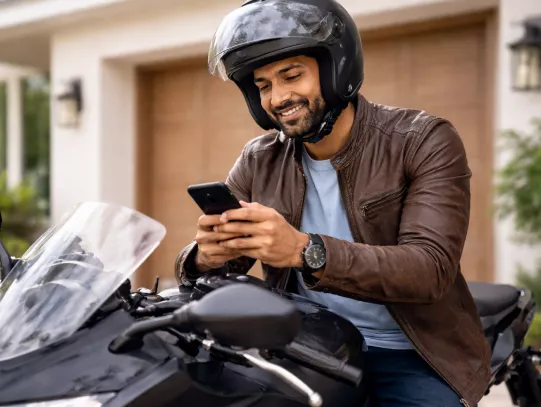
Given India’s crowded roads, two-wheelers offer unmatched convenience and flexibility for city rides or long trips. With HDFC Bank, enjoy up to 100%* financing, attractive interest rates, and quick online applications with minimal documentation. Pre-approved customers get instant disbursals and flexible EMI options, making bike ownership easy and affordable.

*T&C Apply. All Loans at the sole discretion of HDFC Bank.

Two Wheeler Loan EMI Calculator

Check if you have a Pre-approved Loan Offer.

Buying a

₹ 20,001₹ 2,00,000
12 months36 months
%
7% PA30% PA
Your Monthly EMI will be

Amount Payable

Interest Amount

Principal Amount

*The Interest rate shown is for representation purpose. The rates may differ basis the loan amount calculated on the asset/ vehicle Cost

Benefits Of Two Wheeler Loan

  • Completely Digital Process: Apply online for your Two-Wheeler Loan through a simple, paperless, and hassle-free journey.
  • Affordable EMIs: Enjoy EMIs starting as low as ₹37 per ₹1,000 borrowed.
  • Flexible Repayments: Choose easy and convenient EMI repayment options to suit your budget.
  • Minimal Down Payment: Get your dream bike with a low down payment.
  • Quick Approval: Experience loan processing within minutes with just ₹1,999* as the initial Section 4L payment.


More About Two Wheeler Loan

FEATURES

  • Meet All Your Needs
  • Get up to 100% financing on select models if you’re an HDFC Bank account holder and enjoy attractive interest rates.

  • Flexible Repayment Options
  • Choose a loan tenure between 12 to 48 months with affordable EMIs that fit your budget and lifestyle.

  • Attractive Interest Rates
  • HDFC Bank account holders can save up to ₹4,813* with our competitive rates.

    *Based on a ₹1,00,000 loan for 3 years.

  • Instant Loan Approvals
  • Pre-approved customers get disbursal to their preferred dealer within 10 seconds. Others can apply online or at any branch with minimal documentation for quick approval.

  • Seamless Online Application
  • Skip the queues and enjoy a convenient, hassle-free loan application process entirely online.

No need for collateral

ELIGIBILITY

For Individuals:

  • Salaried or self-employed professionals
  • Age between 21 and 65 years
  • Minimum monthly income of ₹10,000

For Non-Individual Entities:

  • Registered organizations such as Partnership Firms, Private Limited Companies, Limited Companies, and similar entities are eligible to apply.
No need for collateral

FEES & CHARGES

Fee Amount to be paid
Rack Interest Rate Starting from 14.5% basis vehicle segment and customer credit worthiness.
Loan Processing Charges Upto 2.5% of the Loan Amount 
 
  NIL Processing Fees for loan facility up to Rs. 5 Lakh availed by Micro & Small Enterprises subject to URC submission prior to disbursal
Stamp Duty & Other Statutory Charges As per applicable laws of the state
Documentation Charges Up to 2.25% of Loan Amount
Registration Certificate (RC) Collection Fees  Upto ₹ 850/- 
RTO Charges At Actual
No need for collateral

DOCUMENTATION

Identity proof:

  • Election /Voter’s card issued by Election Commission of India 
  • Permanent Driving license [not expired] 
  • Passport [not expired]
  • Proof of possession of Aadhaar / printout of e-Aadhaar (not older than 30 days) / e-KYC (Biometric / OTP based)
  • Job card issued by NREGA duly signed by an officer of the State Government 
  • Letter issued by the National Population Register containing details of name & address

Address proof to be separately provided if different from Identity proof

  • Utility bill, in the name of customer, which is not more than two months old of any service provider (electricity, telephone, post-paid mobile phone, piped gas / gas passbook, water bill).
  • Property or Municipal tax receipt, in the name of customer.
  • Pension or family pension payment orders (PPOs) issued to retired employees by government Departments or Public Sector Undertakings, if they contain the address.
  • Letter of allotment of accommodation from employer issued by State Government or central Government Departments, statutory or regulatory bodies, public sector undertakings, scheduled commercial banks, financial institutions and listed companies and leave and license agreements with such employers allotting official accommodation.

Income Proof, if applicable

  • 3 months Bank Statement / Latest ITR for Self Employed
  • 3 months salary slip/ 3 months bank statement with salary credit/ Form 16 for Salaried
No need for collateral

All You Need to Know About ChatBanking

With HDFC Bank ChatBanking, you can manage your finances instantly and securely through WhatsApp. Here’s what you can do: 

  • Check your account balance anytime 

  • Transfer funds quickly and safely 

  • Pay bills and complete mobile/DTH recharges 

  • Request chequebooks or download mini-statements 

  • Block cards instantly in case of loss or theft 

  • View your transaction history with just a message 

Experience a smarter, faster, and more convenient way to bank with HDFC Bank ChatBanking on WhatsApp. Here’s why it stands out:

  • 24×7 availability: Access banking services anytime, anywhere.

  • Secure and encrypted communication: Enjoy complete data privacy and protection.

  • Convenient multi-device access: Use your smartphone or any connected device with ease.

  • Time-saving process: Perform transactions faster than traditional banking methods.

  • No branch visits required: Manage your banking needs instantly without leaving your home.

With HDFC Bank ChatBanking on WhatsApp, you can perform a wide range of convenient banking services anytime, anywhere. Here’s what you can do:

  • Check balance enquiries instantly.

  • Transfer funds securely between accounts.

  • Pay bills and complete mobile/DTH recharges. 

  • Request account statements or mini statements.

  • Enquire about loans and check eligibility details.

  • Block or unblock cards quickly for enhanced safety.

Using HDFC Bank ChatBanking on WhatsApp is simple and convenient. However, following a few tips can make your experience even smoother and more secure. 

  • Save the Official Number: Always use the verified HDFC Bank WhatsApp number 7070022222 to avoid fraudulent chats or fake links.

  • Use Your Registered Mobile Number: Only messages sent from your registered number will be recognised and verified for secure banking access.

  • Check for the Blue Tick: Ensure the chat shows the verified business blue tick before sharing any personal or banking details.

  • Keep Information Confidential: Never share sensitive details like OTPs, account numbers, or PINs through unverified chats or links.

  • Ensure a Stable Connection: A good internet connection helps you complete transactions without interruptions or delays.

  • Keep Notifications On: Enable WhatsApp alerts so you never miss important updates or confirmations from HDFC Bank.

Prerequisites to Enable/Disable AePS

Basic Requirements:

  • You must be above 18 years of age.
  • You should be a Resident Indian with an active Savings Account with HDFC Bank.
  • Your mobile number should be updated in bank records and linked with Aadhaar.
  • Your Aadhaar number should be updated in the bank records.

Steps to Enable/Disable AePS via InstaServices

  • Step 1: Visit the InstaServices page.
  • Step 2: Enter your registered mobile number and verify your identity using details such as Date of Birth, PAN, or Customer ID.
  • Step 3: Authenticate your login using the OTP sent to your registered mobile number.
  • Step 4: Navigate to the relevant service for AePS Enablement or Disablement.
  • Step 5: Select your preferred option to enable or disable AePS for your account.
  • Step 6: Confirm your request after reviewing the details.
  • Step 7: Complete the authentication process as prompted and submit your request.
  • Step 8: You will receive a confirmation of your request via SMS or on-screen message.
no data

Documents Required to Update Email ID in Your Bank Account

Identity Proof

  • Aadhaar Card
  • PAN Card
  • Passport
  • Driving Licence
  • Voter ID

Customer Request Form

  • Fill and sign the Customer Request Form at the branch to update your registered email ID at the bank branch.

Self-Attested Document Copy

  • Submit a self-attested photocopy of the identity proof along with the request form.

Frequently Asked Questions

Log in to HDFC Bank NetBanking or Mobile App, select Two-Wheeler Loan, and view your complete loan summary instantly.

You need your loan account number, registered mobile number, and login credentials for HDFC Bank NetBanking or Mobile App access.

Yes, you can request your two-wheeler loan summary at any HDFC Bank branch or through their customer care support.

Check your loan statement monthly or quarterly to track EMIs, outstanding balance, interest charges, and ensure timely repayment. 

No, downloading or viewing your two-wheeler loan statement through HDFC Bank’s online services is completely free of charge.

Update Your Email ID in HDFC Bank Account Now!