Locate Our Branch

Finding an HDFC Bank branch near you is simple and convenient. Whether you need in-person banking assistance, want to open an account, or have queries related to your services, you can easily locate the nearest branch using our online branch locator tool.

Credit Guarantee Fund Trust For Micro And Small Enterprises CGTMSE

How To Locate an HDFC Bank Branch?

  • You can easily find the nearest HDFC Bank branch online by following these simple steps: 
      • Enter your State and City
        Go to the Branch Locator tool on the HDFC Bank website, select your state and city from the drop-down menus, and click on Search.
      • View Available Locations    
        A list and map view of all HDFC Bank branches and ATMs in the selected area will appear on your screen.
      • Filter by Branch
        To refine your results, click on the Filter option and select ‘Branch’ to view only branch locations.

How To Locate an HDFC Bank Branch?

WhatsApp Banking, also known as ChatBanking, is HDFC Bank’s official service that allows customers to access select banking services through WhatsApp. By chatting with the bank’s verified WhatsApp number, you can view account and loan details, raise requests, and get assistance securely without logging into NetBanking or visiting a branch. 

Registering for WhatsApp Banking offers quick, convenient access to essential banking services on a platform you already use daily. It enables instant responses, easy navigation through chat options, and secure access after a one-time verification.

Once registered, you can access a range of services, including:

  • Account and Balance Enquiries – Check account balance, summaries, and basic account details.

  • Card and Loan Requests – View loan summaries, EMI details, and raise select card or loan-related requests.

  • Service Assistance and Support – Get help with common banking queries and service requests directly through chat.

Prerequisites to Book a Bank Appointment

Before you schedule your appointment, please ensure you meet the following basic requirements:

  • You must be above 18 years of age
  • You must be a Resident Indian with an active Savings Account
  • Your registered email ID or mobile number should be handy and available for validation

Documents Required to Update Email ID in Your Bank Account

Identity Proof

  • Aadhaar Card
  • PAN Card
  • Passport
  • Driving Licence
  • Voter ID

Customer Request Form

  • Fill and sign the Customer Request Form at the branch to update your registered email ID at the bank branch.

Self-Attested Document Copy

  • Submit a self-attested photocopy of the identity proof along with the request form.

How To Report Unauthorised/Disputed Transactions

Via Online Portal

If you are a victim of online fraud, immediately report the incident to the National Cyber Crime Portal at cybercrime.gov.in or call the national helpline on 1930 for urgent assistance.

Additionally, reports can be filed directly through the online portal at https://cybercrime.gov.in/Webform/Crime_AuthoLogin.aspx or via the main website at www.cybercrime.gov.in

No need for collateral

Via Customer Care

You can contact HDFC Bank’s customer care helpline at 1800 1600 / 1800 2600, which is accessible across India, to block your card or secure your account.

To report a dispute please call us on 1800 202 6161 / 1860 267 6161 (accessible across India).

Customer travelling overseas can reach us on 022-61606160.

Click here to submit Online dispute form.

  • Provide Your 10 registered mobile number

  • Input the OTP

  • Select Product Type (Eg Debit /Credit / Prepaid Card)

  • Enter last 4 digit of the Card No

  • Select Merchant/Beneficiary Name

  • Select Disputed transaction date (last 60 days)

  • Enter the dispute reason and details in the text box

  • Enter Submit

  • Your dispute will be successfully reported.

Click here to Download physical Dispute form.

No need for collateral

Block via NetBanking

How to block your Debit/Credit Card using NetBanking

  • Login to NetBanking using your customer ID & password click here

  • Click on "Card" tab

  • Select "Request" under Credit or Debit Card, whichever applies

  • Select "Credit Card hotlisting" or "Debit Card hotlisting" whichever applies

How to block Prepaid card using Prepaid Card NetBanking

  • Click to select the type of card variant you wish to block click here

  • Log in into Prepaid Card NetBanking with your user ID and password

  • Select Hotlist Card tab under My request tab

  • Select the card number and confirm

No need for collateral

Via PhoneBanking

  • To report Credit Card / Debit Card /NetBanking transactions not done by you, call PhoneBanking ( click here for the number in your state if are a Resident Customer; click here if you a Non Resident Customer)

  • To report Prepaid Card transactions not done by you, call PhoneBanking on 18002586161

MI support 

Online Banking & PayZapp

  • To block Online Banking services (NetBanking and MobileBanking App), SMS BLOCK OB to 7308080808 from your registered Mobile Number.

  • To report transaction on your PayZapp wallet, Go to PayZapp > Profile > Help Centre > Select a transaction > Tap on ‘?’ sign > Raise a Ticket.

MI support 

Details Required

Please keep the following handy before calling PhoneBanking:

  • NetBanking

  • Debit Card / ATM

  • Credit Card

  • Prepaid Card

  • PayZapp

To report unauthorised transactions on NetBanking:

  • Customer ID

  • Account number

  • Transaction date

  • Transaction amount

  • Type of transaction e.g. NEFT/RTGS

To report unauthorised Debit Card or ATM card transactions:

  • Debit Card or ATM card number

  • Type of transaction e.g. online, at a store, local grocer, Cash withdrawal, etc.

  • Date of transaction

  • Transaction amount

To report unauthorised Credit Card transactions:

  • Credit Card number

  • Type of transaction e.g. online, at a store, local grocer, etc.

  • Date of transaction

  • Transaction amount

To Report unauthorised Prepaid Card transactions:

  • Prepaid Card number

  • Type of transaction e.g. online/ purchase/ ATM

  • Date of transaction

  • Transaction amount

To Report unauthorised PayZapp wallet transactions:

  • PayZapp registered mobile number

  • Date of transaction

  • Transaction amount

MI support 

Transaction Reporting Guidelines

For details, please refer the policy: //www.hdfcbank.com/content/api/contentstream-id/723fb80a-2dde-42a3-9793-7ae1be57c87f/d9cca15c-96c1-43b9-bda6-df6b5528eb58?

  • To Report unauthorised PayZapp transactions using HDFC Bank Credit Cards ( click here )

  • To Report unauthorised PayZapp transactions using HDFC Bank Debit Cards ( click here )

Learn from our Vigil Aunty for more ways on how to report a fraudulent transaction, and learn more about it.

No need for collateral

Frequently Asked Questions

You can locate the nearest HDFC Bank branch using the Branch/ATM Locator on the official HDFC Bank website. Simply enter your state and city or allow location access to find the closest branches near you.

Yes. The locator tool allows searches by PIN code, area name, or landmark to help you find the most convenient branch.

All active HDFC Bank branches across India are listed in the locator tool, including metro, urban, semi-urban, and rural locations.

You can view the working hours of each branch directly in the search results. The timing details are mentioned under each branch’s address and contact information.

Yes. You can use the filter provided on the locator to view branches with on-site ATMs, ensuring added convenience for cash withdrawals and other ATM services.

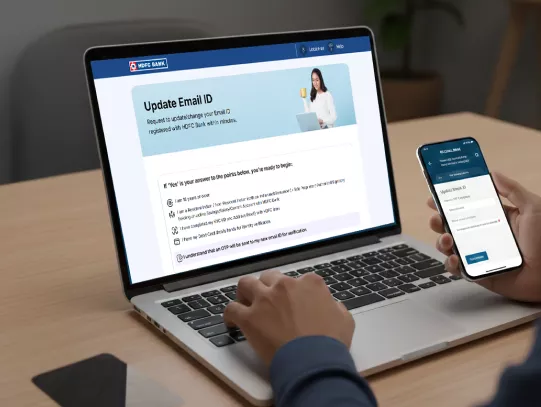
Update Your Email ID in HDFC Bank Account Now!