New Official Website
il-whatsnew-bg
What’s New
🆕 HDFC Bank's new official website is https://hdfc.bank.in - in line with RBI's directive for safer online banking. 🛡️ Simple. Intuitive. Exciting. 🔮 For Pros & Beginners. 🌎 Built on insights from customers across the nation. Proudly made in India 🇮🇳 Shaped to deliver a better experience for you. ❤️

Secure at every step

Advanced encrypted connections built on the .bank.in domain which is RBI trusted, so your experience is protected.

Secure banking
open to all

Open to all walks of life

Retail. MSMEs. HNIs. NRIs. Farmers. Government organisations. Journeys designed around all your goals and needs.

Start anywhere. Find what matters

Products and services are organised to help you explore naturally, so you can move from discovery to decision without friction.

Easy navigation
Multiple languages

Speaks your language

We are live in 5 languages today, with many more coming soon.

Videos that explain more than text

Our website videos simplify products and services, making it easier to understand what works for you.

Product videos
Accessible design

Accessible by design

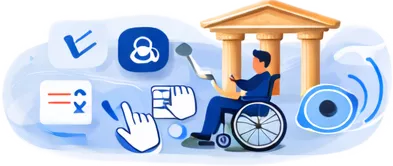
Built with accessibility tools that support users with visual and motor impairments, because banking should be easy for everyone.

Offers that move you

Discover curated offers across cards, loans, payments and everyday spends, updated regularly so there’s always something waiting for you.

Bank offers
SEO and discovery

Easy to find. Wherever you begin

SEO-first and Geo-first, so products and services are easier to discover through all website search and AI assistants.

Fast by default

Pages load instantly. Journeys move smoothly. You just click/tap and we are there!

Fast experience
Smart search

Website Search that guides you forward

Enhanced EVA website search with predictive results, trending topics and conversational support, helping you get the right answers faster.

Clear words with total transparency

Simple language. Straightforward information. Clarity at every step.

Transparent communication

All You Need To Know

Why “.bank.in” Matters”

  • RBI-guided for all Indian Banks
  • Exclusive Banking domain – “.bank.in”
  • Protected by HDFC Bank
What is good

What remains unchanged

  • Your account details, cards, IFSC, NetBanking, and Mobile App remain exactly the same.
  • Continue to bank, pay, and transact as you always have — with added online protection.

Note- Only the website and communication domain changes to “.bank.in” for stronger security.

What is more

Quick tip for Safer Banking

  • Before clicking any link or replying to an email or SMS, check for “.bank.in” in the web address or sender’s email ID.
  • If it includes “.bank.in”, it’s officially from HDFC Bank – your cue that it’s safe to engage.
Security features

Frequently Asked Questions

First, confirm with HR that they have your correct A/c number and IFSC (you’ll find both under NetBanking → Accounts → Summary). If HR has processed it, credits usually reflect within 1 working day. Still stuck? Chat with EVA in the app or call PhoneBanking — we’ll trace it for you. 

As a Corporate Salary A/c, there’s no Average Monthly Balance to worry about — as long as a salary credit lands every month. If no salary is credited for 3 months in a row, the account gently converts to a Regular Savings A/c and standard AMB rules begin. We’ll always let you know before that happens. 

Your A/c stays with you. If salary credits stop for 3 months it converts to a Regular Savings A/c — and the moment your new employer starts crediting salary, it switches back to Corporate Salary benefits automatically. No new account, no paperwork. 

Your Debit Card is typically dispatched within 7 working days to your registered address. Track delivery under NetBanking → Service Requests → Track Debit Card. Cheque books are on-demand from the app, whenever you need one. 

Open the MobileBanking App → Cards → Debit Card → Generate / Reset PIN. Authenticate via OTP and the new PIN is ready to use right away — no PIN mailer, no waiting. 

Yes. Under Cards → Manage Controls, switch Domestic and International on/off independently for ATM, POS, Online and Contactless, and set custom daily limits. Useful when you travel, or to lock online usage by default. 

MobileBanking App → Cards → Block Card — done in 10 seconds. You can also call PhoneBanking on 1800 1600 / 1800 2600 / 022-61606161. A replacement card is dispatched the same working day.

Open the App → Profile → Setup UPI → choose your A/c → set your UPI PIN (uses your Debit Card details). You’ll get a VPA like yourname@hdfcbank and can start paying any QR straight away. 

Open MobileBanking App → Pay → BillPay / SmartPay → search for your biller → enter consumer number → enable AutoPay → pick your debit day. SMS reminders go out 3 days before each debit, and you can pause anytime in one tap. 

Easiest: NetBanking → Profile → Update Contact Details. You can also do it at any HDFC Bank ATM or branch. Keep it current — this is where your vouchers and statements go. 

Three doors, all open 24x7: chat with EVA in the app, call PhoneBanking, or raise it under NetBanking → Service Requests. You’ll get a reference number to track, and for unresolved issues the Grievance Redressal page is always in the footer.

Yes, please do. It takes two minutes, no branch visit. NetBanking → Accounts → Request → Update Nominee. We strongly recommend doing this on Day 1.