Frequently Asked Questions
Taxes
How To Pay Advance Tax Online
A step-by-step guide to calculate and pay your advance tax online, due dates and who needs to pay it.
Synopsis:
- Paying advance tax can help take the load off paying in lumpsum.
- It is possible to pay advance tax online.
- You can pay advance tax online in four instalments.
Overview
Paying advance tax is crucial for many Indian taxpayers, ensuring periodic tax payments instead of a year-end lump sum. This helps the government maintain revenue flow and allows efficient tax management for taxpayers. Online payment systems have simplified the process. This guide covers who needs to pay advance tax, the due dates and how to pay advance tax online.
What is Advance Tax?
As a taxpayer, if your tax liability is more than ₹10,000 per year, you are required to pay advance tax in quarterly instalments (June, September, December and March).
Who Needs to Pay Advance Tax?
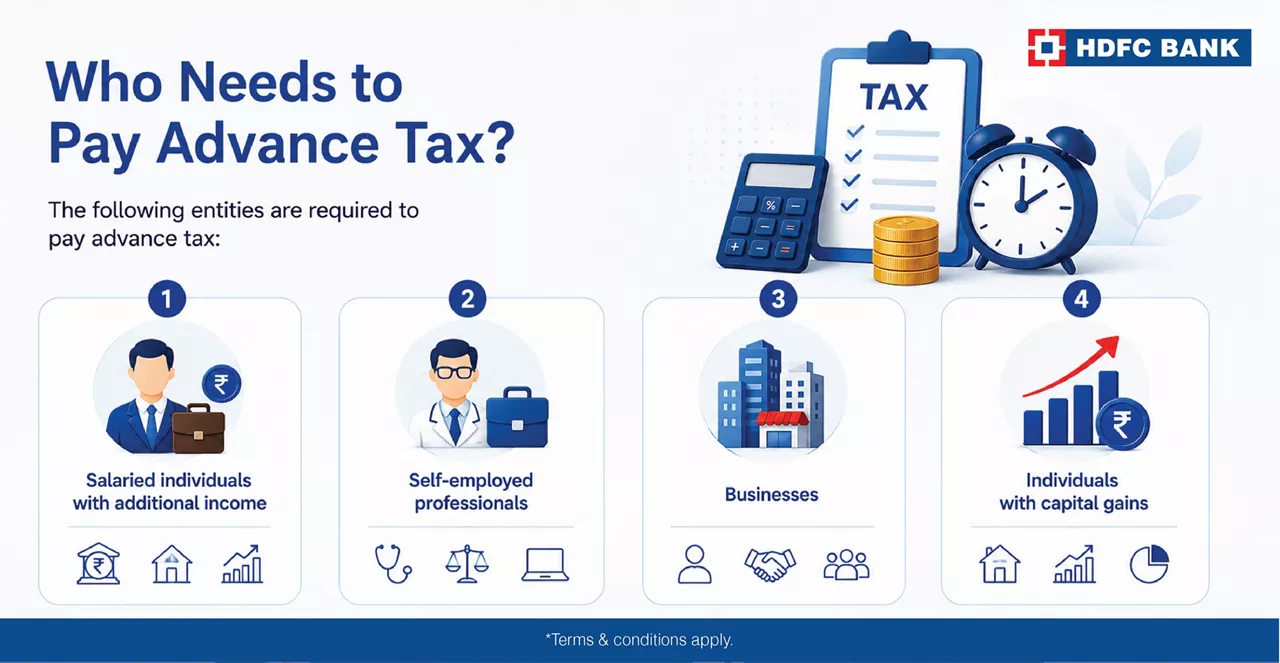
The following entities are required to pay advance tax:
Salaried individuals with additional income: While employers deduct TDS (Tax Deducted at Source) from salaries, individuals with other income sources such as interest, rental income or capital gains must pay advance tax on these earnings.
Self-employed professionals: Doctors, lawyers, freelancers and other professionals with substantial annual income need to estimate and pay their taxes in advance.
Businesses: Businesses, including sole proprietorships, partnerships and companies, must pay advance tax on their projected annual income.
Individuals with capital gains: Those who earn from the sale of assets like property or stocks during the year must account for these gains when paying advance tax.
Due Dates for Advance Tax Payments
The Income Tax Department of India has set specific deadlines for the payment of advance tax, divided into four instalments:
1st Instalment: 15% of the total estimated tax liability by June 15
2nd Instalment: 45% of the total estimated tax liability by September 15
3rd Instalment: 75% of the total estimated tax liability by December 15
4th Instalment: 100% of the total estimated tax liability by March 15
If you’ve opted for the presumptive taxation scheme under section 44ADA of the Income Tax Act, 1961, you are liable to pay 100% of Advance Tax on or before 15th March of the previous year. Otherwise, you will be liable to pay interest per Section 234B and Section 234C of the I-T Act.
How To Pay Advance Income Tax Online?
Paying advance tax online is a straightforward process facilitated through the official website of the Income Tax Department. Here is a detailed step-by-step guide on how to file advance tax online:
1. Calculate Your Tax Liability
Before making any payment, you need to estimate your total income for the financial year and calculate the tax liability. This includes:
- Summing up all your income sources such as salary, interest, rental income, business profits, etc.
- Subtract any eligible deductions under sections 80C, 80D, etc.
- Apply the relevant income tax slab rates to the net taxable income to compute the tax liability.
- Once you have the total tax liability, subtract any TDS already deducted to determine the advance tax payable.
2. Visit the Income Tax e-Filing Portal
Go to the official Income Tax Department’s e-Filing portal. This portal is the primary platform for taxpayers to file returns, pay taxes and access other tax-related services.
3. Navigate to e-Payment of Taxes
After logging in with your User ID(PAN) and password, locate the ‘e-File’ tab on the top menu. Hover over it to find the ‘e-Pay Tax’ option and click on it.
4. Enter ‘New Payment’ details
Under E-pay tax select new payment, select ‘Income Tax’ and click on ‘Proceed’ to make the payment. After choosing the applicable tax type, select your assessment year and type of payment and proceed to the next page.
5. Enter Tax Break-Up
Add the break-up of the tax payment on the next page. Now select the payment mode and payment gateway and click on continue.
6. Verify Details
Verify the details you have entered. Ensure that the PAN, assessment year, and other information are correct to avoid any issues. If all details are correct, click on ‘Submit to the Bank.’
7. Proceed to Payment
After filling in the details, click on ‘Proceed’. You will be redirected to the bank’s net banking page or payment gateway, depending on your chosen payment method.
- Net Banking: Log in using your net banking credentials and complete the payment.
- Debit Card: Enter your debit card details and authenticate the transaction.
8. Confirmation and Receipt
Upon successful payment, a challan counterfoil will be generated containing the Challan Identification Number (CIN). This serves as proof of payment. Save and print the receipt for your records. You will also receive a confirmation message and email from the bank and the Income Tax Department.
9. Verify Payment Status
To ensure the payment has been credited to your tax account, verify the payment status on the Income Tax e-Filing portal:
- Log in to the e-Filing portal using your credentials.
- Navigate to ‘My Account’ and select ‘View Form 26AS (Tax Credit)’.
- Choose the relevant assessment year and download Form 26AS to check if the advance tax payment is reflected in your tax statement.
Pay Advance Tax Online And Manage Your Tax Liabilities Easily
Paying advance tax online in India is a hassle-free process that ensures compliance with tax regulations and helps manage your tax liabilities efficiently. By following the steps outlined in this guide on how to make advance tax payment, you can easily calculate your tax dues and make timely payments, thereby avoiding penalties and interest charges. Regularly reviewing your financials and staying updated with tax laws will further streamline the process and contribute to better financial planning.
*Disclaimer: Terms and conditions apply. The information provided in this article is generic in nature and for informational purposes only. It is not a substitute for specific advice in your own circumstances. You are recommended to obtain specific professional advice from before you take any/refrain from any action. Tax benefits are subject to changes in tax laws. Please contact your tax consultant for an exact calculation of your tax liabilities.
Delayed or insufficient advance tax payments may attract interest under applicable provisions of the Income Tax Act.
Yes. You can make the payment later, but applicable interest may be charged for the delay or shortfall.
Yes. Advance tax can be paid online through the Income Tax e-Filing portal using available payment options.
Resident senior citizens without income from business or profession are generally exempt from paying advance tax.
You can check the payment status and download the challan receipt through the Income Tax e-Filing portal.

