FAQ's
Saving Accounts
What Is Mini Bank Statement?
Learn what a mini statement is, how to access it, and track recent banking transactions effortlessly.
Synopsis:
- Mini statements give you a concise summary of transactions within a specific period.
- Typically, you can see your last five transactions on your mini statement slip.
- Mini statements can be accessed via ATMs, mobile banking, net banking, SMS, and email.
Overview
Banking today is easier than ever, with banks offering a range of facilities and services, providing you easy access to your accounts. Through internet and mobile banking, ATMs, customer care helpline and other channels, you can reach out to your bank to get information about your various transactions. One of the easiest ways to check your account data is through bank statements. Besides the detailed statement, you can also get mini statements. Let’s find out more about bank mini statements – what they are, how you can access them, and so on.
What Is Mini Statement?
A mini statement is a digital or physical document that grants you access to your bank account transactions. It serves as a convenient tool through which you can monitor your finances. Essentially, a mini statement provides a concise summary of recent transactions within a specific bank account, offering a quick overview of your account activities. With mini statements, you can track expenses and verify the accuracy of transactions in real-time.
Contents of a Mini Statement
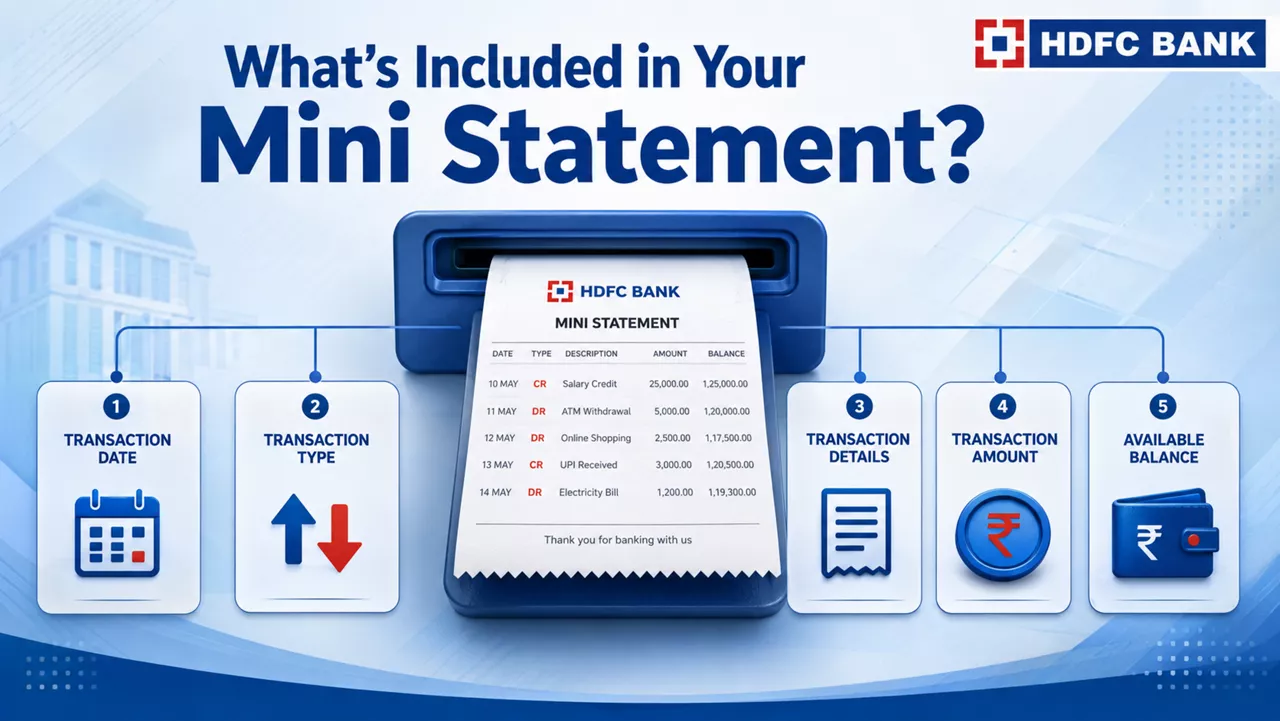
When you opt to get a mini statement, you can typically see a summary of your last five transactions – whether they are deposits, withdrawals, or any other expenses/charges. A typical bank account mini statement includes essential details such as:
- Transaction Dates: The dates when the last five transaction occurred.
- Transaction Type: Whether the transactions were credit or debit transactions.
- Description: A brief description of the transactions.
- Amount: The monetary value associated with each transaction.
- Balance: The remaining balance in the account post all transactions.
Methods of Generating a Mini Statement
You can generate such a statement through the following channels:
- ATM (Automated Teller Machine)
You can visit any ATM of your respective bank network, insert your Debit Card, enter the PIN, and select the option for an ATM mini statement. Within seconds, the ATM prints out a summary of recent transactions, allowing you to review your account activity on the spot. - Mobile Banking Apps
Most banks in India offer dedicated mobile apps that enable you to view your account details, including bank mini statements. By logging into your mobile banking account, you can navigate to the statement section and instantly retrieve transaction information. - Internet Banking
You can also access mini statements, account balances, fund transfers, etc., through your internet banking portal. The option to check the statement is usually located in the transaction history or account summary section. You can also download your bank mini statement for future reference. - SMS Banking
Many Indian banks allow you to get a brief summary of your transactions by sending an SMS to a dedicated mobile number. You typically need to send the SMS from your registered mobile number (RMN). The bank responds with a text message containing the requested transaction details. - Customer Service Helpline
Yet another way to get a bank mini statement is by contact your bank’s customer care helpline. The bank representative may ask you to verify your identity, after which they may send the statement on your email address. You can also send an email to the bank proactively, requesting a mini statement.
Check Your Mini Statement Easily With Your HDFC Bank Account
As an HDFC Bank accountholder, you can conveniently review your account activity and get mini statements anytime you need. HDFC Bank provides multiple channels through which you can access your mini statement, including ATMs, internet and mobile banking platforms, and email. You can now open your HDFC Bank account online. To get started, click here.
*Disclaimer: Terms and conditions apply. The information provided in this article is generic in nature and for informational purposes only. It is not a substitute for specific advice in your own circumstances.
A mini statement usually displays the most recent transactions, though the number may vary by bank.
Yes. You can access a mini statement through mobile banking, internet banking, SMS banking, or customer care, depending on your bank.
Yes. A mini statement provides a summary of recent transactions, while a bank statement contains detailed account activity for a selected period.
No. Viewing or downloading a mini statement does not impact your account balance or transaction history.
Yes. Many banks allow you to download or receive your mini statement digitally through their online banking channels.


