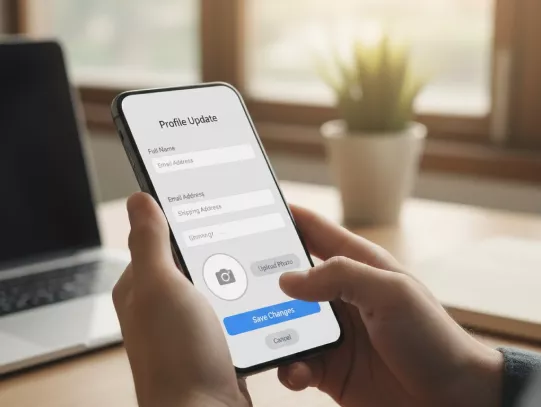
Customer Profile Update

​​​Keeping your Bank Account profile updated is crucial for smooth and secure banking. HDFC Bank allows you to update your occupation details. It helps prevent fraud and prevents disruption of services. If you are looking to update your bank account details online, HDFC Bank provides several convenient options, viz., NetBanking, InstaServices or by visiting your nearest HDFC Bank branch. 

Resident Individual – InstaServices | NetBanking | Locate Branc​​​h | Download Form

Non-Resident Indian – Update Online | Download Form​​​

Sole Proprietorship / HUF – Update Online | Locate Branch ​​​| Download Form

All Other Non-Individuals – Locate Branch | Download Form​​​

Credit Guarantee Fund Trust For Micro And Small Enterprises CGTMSE

How to Update Customer Profile in HDFC Bank?

Via Website

Convenient customer profile updation online through via website offered by HDFC Bank.

  • Go to www.hdfc.bank.in and in the menu, select Need Help > Accounts/Deposit Services > Customer Profile Update
  • Enter your registered mobile number and identify using DOB, PAN or Customer ID to proceed. 
  • Select customer ID, if you have multiple customer IDs.
  • Update your Financial and Occupational details.
  • Complete your two factor authentication via debit car or net banking details

Upon completing the process, you will get confirmation on the screen. This facility allows you to update bank customer profile online quickly and securely

No need for collateral

Via NetBanking Services

You can do your customer profile update in bank through NetBanking. Below are the step-by-step instructions:

1. Log in to HDFC NetBanking with your customer ID.

2. Navigate to My Profile section through top right menu. 

3. Scroll down and click on Update Occupation under Occupation section. 

4. Select the fields you want to update and make changes. For example: Work status, company, source of funds, gross annual income range or home.  

5. Review the updated details then submit.

MI support 

Documents Required to Update Your Customer Profile in HDFC Bank

Re-KYC Form

  • Duly signed customer profile update form

Prerequisites for Updating Your Customer Profile 

Resident Individual:

  • You can update your customer profile digitally via InstaServices (Services tab on the website) or through NetBanking.
  • You may also submit a physical form at the branch for updation.
  •  InstaServices | NetBanking | Locate Branch

Non-Resident:

  • You can update your customer profile digitally via InstaServices (Services tab on the website).
  • You can also download the form from the website and send it from your registered email ID or visit the branch to submit it.
  •  Update Online | Download Form

Sole Proprietorship / HUF:

  • You can update your customer profile digitally via InstaServices (Services tab on the website).
  • You may also submit a physical form at the branch for customer profile updation.
  • Update Online | Locate Branch

All Other Non-Individuals:

  • If you are a Partnership Firm, Pvt/Public Ltd Company, LLP, or TASC, you can update your customer profile digitally via InstaServices or by visiting the branch for customer profile updation.
  • Locate Branch
Easyemi Credit Card

Why are Customer Profile Updates in Bank Accounts Important?

  • Here’s why keeping your customer profile updated is important:

    • It ensures that the bank has your correct work status, company, source of funds, gross annual income range or home type. This enables the bank to maintain accurate records and provide you with tailored services, relevant offers and enhanced benefits.
    • With accurate information, you will receive bank communications, alerts, statements and notifications without delay. Whether that is through SMS, email, or push notifications or WhatsApp banking.
    • Keeping your profile updated can make you eligible for specific services, Loans, or digital features that require updated profile details.
    • Accurate occupation details help in quick credit evaluation when you apply for Loans, Credit Cards or other services and products.
    • Helps bank idenfity potential fraud in your account and safeguard it

Frequently Asked Questions

You can update your customer profile online by using Insta Services offered by HDFC Bank.

You can easily update your mobile number or email online through Insta Services or Net banking/ Mobile banking. 

The following documents you will require to update your information:

  • Address: Aadhaar / Passport / Voter ID / utility bills (recent) etc.

  • Name Change: Marriage certificate / Gazette / court order (depending on reason) + identity proof.

  • Occupation: Employer certificate, business registration, proof of income (if asked).

  • PAN update: PAN card itself; ensure bank records have same PAN; may need PAN verification.

Your customer profile gets updated almost instantly once you complete the process through Insta Services. There are no charges for profile updates.

You can check your updated details by logging in to your HDFC Bank NetBanking account.

Customer Profile Update Now!

