
HDFC Bank - Pay, Save, Invest, Insure, Borrow with India's Most Trusted Bank

My Money

  • அனைத்து வங்கி கணக்குகள் மற்றும் ஈக்விட்டிகளின் ஒற்றை பார்வை

  • அனைத்து கணக்குகளிலும் செலவுகளை கண்காணியுங்கள்

  • பிரத்யேக கடன் மற்றும் கார்டு சலுகைகளை கண்டறியவும்

My Money

Key Benefits of HDFC Bank My Money

HDFC Bank My Money
Track All Your Finances in One Place

image

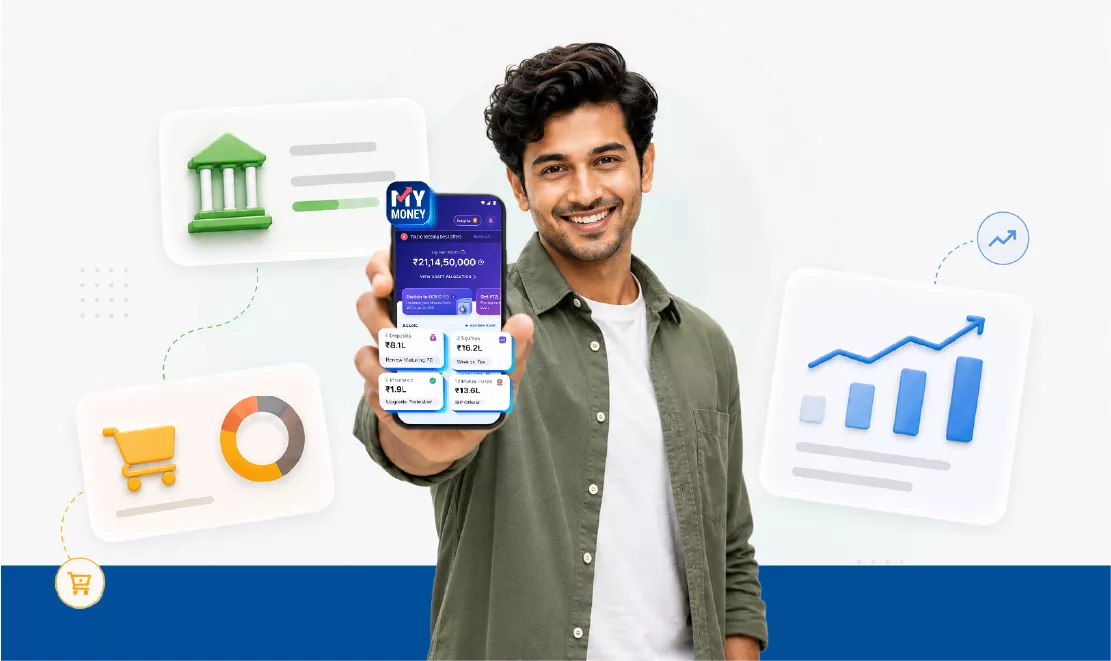
My Money gives you access to

தனிநபர்
டாஷ்போர்டு

தனிப்பயனாக்கப்பட்ட நுண்ணறிவுகள்

கடன்
சலுகைகள்

நீங்கள் தகுதி பெறுவீர்களா என்று யோசிக்கிறீர்களா?

 

  • Existing HDFC Bank customers registered for Mobile Banking can enable My Money 
  • வாடிக்கையாளர்கள் கணக்கு அக்ரிகேட்டர் நெட்வொர்க்கிற்குள் பிற பங்கேற்கும் வங்கிகள் மற்றும் நிதி நிறுவனங்களுடன் வைக்கப்பட்ட கணக்குகளை இணைக்கலாம்

முக்கிய நன்மைகள்

பல செயலிகளுக்கு இடையே மாறி மாறிச் செல்ல வேண்டிய அவசியமில்லை​

  • ஒரே டாஷ்போர்டில் அனைத்து வங்கிக் கணக்கு இருப்புகள், பரிவர்த்தனைகள் மற்றும் பங்குகள் போர்ட்ஃபோலியோவையும் கண்காணியுங்கள்.

எளிதான மற்றும் விரைவான இணைப்பு செயல்முறை​

  • OTP அங்கீகாரத்தை பயன்படுத்தி உடனடியாக கணக்குகளை இணைக்கவும்.

நீங்கள் எப்போதும் உங்கள் தரவை கட்டுப்படுத்துகிறீர்கள்

  • ஒப்புதல்-அடிப்படையிலான தரவு பகிர்வு. தரவு பகிர்வுக்காக நீங்கள் இணைக்க விரும்பும் கணக்குகளை நீங்கள் தேர்வு செய்து சில கிளிக்குகளுடன் எந்த நேரத்திலும் அந்த இணைப்பை நீக்கிக்கொள்ளலாம்.

மேம்படுத்தப்பட்ட தரவு தனியுரிமை மற்றும் பாதுகாப்பு

  • டிஜிட்டல் தனிநபர் தரவு பாதுகாப்பு (DPDP) சட்ட வழிகாட்டுதல்கள் மற்றும் கணக்கு அக்ரிகேட்டர் ஈகோசிஸ்டம் மூலம் நிர்வகிக்கப்படும் தரவு பகிர்வு, RBI மூலம் ஒழுங்குபடுத்தப்படுகிறது.


Foreign Currency Non Resident-fixed Deposit FCNR

Know More About My Money

சிறப்பம்சங்கள்

1. ஒப்புதல்-அடிப்படையிலான, வாடிக்கையாளர்-கட்டுப்படுத்தப்பட்ட தரவு அணுகல்

a. In the AA framework, My Money fetches data only after explicit customer consent, for a defined purpose and duration.

2. பல வங்கி கணக்குகளில் ஒருங்கிணைந்த பார்வை

a. My Money enables customers to view transactions from multiple bank accounts (across participating banks) in a single consolidated view.

b. Customer can also track their Fixed Deposits and Recurring deposits from other banks on My Money.

c. My Money also enable customer to consolidate his/her investments in Equity and ETF across broker accounts.

3. பாதுகாப்பான, கடவுச்சொல் இல்லாத மற்றும் காகிதமில்லா

a. My Money use encrypted AA data flows, eliminating the need to share login credentials. Readily available to the customer 24X7.

4. வெளிப்படையான ஒப்புதல் மேலாண்மை மற்றும் திரும்பப் பெறும் வசதி

a. வாடிக்கையாளர்கள் எந்த நேரத்திலும் ஒப்புதல்களை காணலாம், நிர்வகிக்கலாம், இடைநிறுத்தலாம் மற்றும் திரும்பப் பெறலாம், தரவு உரிமையை வலுப்படுத்தலாம்.


Healthcare Benefits

உங்கள் வங்கிக் கணக்குகளை சேர்த்து நிர்வகித்தல்

How can I view combined balances and transactions after connecting my bank accounts to My Money?

1. உங்கள் எச் டி எஃப் சி பேங்க் செயலியில் உள்நுழையவும் (SmartWealth அல்லது மொபைல் பேங்கிங்).

2. "நிகர மதிப்பு" என்பதை தட்டவும்

3. உங்கள் மொபைல் எண் மற்றும் OTP-ஐ உள்ளிடவும்.

4. நீங்கள் பார்க்க விரும்பும் கணக்குகளை தேர்ந்தெடுத்து OTP உடன் உறுதிசெய்யவும்.

5. உங்கள் டாஷ்போர்டில் அனைத்து இருப்புகள் மற்றும் பரிவர்த்தனைகளையும் ஒன்றாக காண்க. இது மிகவும் எளிதானது!

What banks are supported in My Money?
All banks regulated by the RBI are supported - Public, Private, Co-operative, Regional Rural banks, and NBFCs. Wherever you bank, My Money keeps it all in one place.

How many accounts can I add to My Money?
As many as you’d like! My Money handles multiple accounts so you can see your full financial picture in one place. At any one instance, you can add maximum 10 accounts.

Can I remove (delink) my bank accounts from My Money?
முற்றிலும்! நீங்கள் முழு கட்டுப்பாட்டில் உள்ளீர்கள். Finvu ஒப்புதல் மேலாளரிடமிருந்து எந்த நேரத்திலும் உங்கள் கணக்குகளை அகற்றவும்:

  • https://aaweb.finvu.in

  • https://revokeconsentlive.finvu.in
    ஒருமுறை அகற்றப்பட்டவுடன், நீங்கள் அவற்றை மீண்டும் சேர்க்கும் வரை அவை காணாமல் போகும்.

Can I add my accounts again after removing them from My Money?
ஆம்! அதே எளிய வழிமுறைகளைப் பயன்படுத்தி அவற்றை மீண்டும் சேர்க்கவும்.

எனது கணக்குகளை நீக்குவது (இணைப்பு நீக்கம்) சேகரிக்கப்பட்ட நிதித் தரவையும் நீக்குமா ?
இல்லை. அகற்றுவது புதிய தரவை மட்டுமே வரவிருப்பதை நிறுத்துகிறது. உங்கள் பழைய தரவு உங்கள் குறிப்பிற்கு தங்கும்.

FD முன்பதிவு பரிவர்த்தனைகளில் குறிப்பிட்ட வரம்புகள் உள்ளதா?
FD முன்பதிவு பக்கத்தில், பரிவர்த்தனைக்கு கிடைக்கும் பேமெண்ட் முறைகளுடன் உங்களுக்கு வழங்கப்படும். UPI மற்றும் நெட்பேங்கிங் போன்ற எந்தவொரு பேமெண்ட் முறையையும் நீங்கள் தேர்வு செய்யலாம். பேமெண்ட் முறையின் வரம்புகள் பொருந்தும்.

Healthcare Benefits

தரவு துல்லியம் மற்றும் பாதுகாப்பு

How accurate is the data on My Money?
We do our best to show accurate information. However, My Money depends on data shared by your financial providers (banks, NBFCs, depositories). If you notice a small mismatch, don’t worry - it usually corrects itself soon.

Why is there a mismatch in balance between My Money and my Bank App?
Don’t worry — this is completely normal. My Money shows account information shared through the Account Aggregator (AA) network, which currently supports data as of the முந்தைய வேலை நாள் (T-1).

That means your My Money balance reflects yesterday’s data, while your HDFC Bank app shows real-time balances. The difference doesn’t mean there’s an error - it’s just how the AA system works. Your latest balance will automatically refresh with the next update.

How frequently is the data updated in the My Money?
தரவு தினமும் ஒருமுறை புதுப்பிக்கப்பட்டு, முந்தைய பணிநாளின் இருப்புகளைக் காட்டுகிறது. உங்கள் சேவை வழங்குநரைப் பொறுத்து, இதற்குச் சற்று அதிக நேரம் ஆகலாம், ஆனால் இது தானாகவே புதுப்பிக்கப்படும்.

Is it safe to depend on My Money when making financial decisions?
My Money gives you a clear summary of your accounts, but it’s not a financial advisory tool. Always double-check with an expert before making major decisions.

Is My Money secure?
Yes, 100%! My Money uses RBI-approved connections and bank-level encryption to keep your information safe. Your consent is required every time - you stay fully in control.

எனக்கு சொந்தமில்லாத ஒரு கணக்கை நான் பார்க்கிறேன். நான் என்ன செய்ய வேண்டும்?
If you notice an unfamiliar account in My Money, please check with your bank to confirm whether your mobile number is linked to another account by mistake.

Once that’s verified, you can email us at smartwealth@hdfc.bank.in, and we’ll help you delink the incorrect account from your My Money profile right away.

Check out the deals

உங்கள் ஈக்விட்டிகள் மற்றும் முதலீடுகளை கண்காணித்தல்


எனது மொத்த ஈக்விட்டி ஹோல்டிங்குகளை நான் எவ்வாறு கண்காணிக்க முடியும்?

1. உங்கள் எச் டி எஃப் சி பேங்க் செயலியில் உள்நுழையவும் (SmartWealth அல்லது மொபைல் பேங்கிங்).

2. 'அனைத்து வங்கி கணக்குகள் மற்றும் ஈக்விட்டிகள்'-ஐ தட்டவும்

3. OTP உடன் சரிபார்க்கவும்.

4. ஈக்விட்டி-யின் கீழ், 'புதியதை சேர்க்கவும்.' மீது தட்டவும்

5. உங்கள் கணக்கை இணைக்கவும் (CDSL/NSDL).

6. டாஷ்போர்டில் உங்கள் ஒருங்கிணைக்கப்பட்ட ஹோல்டிங்குகள் மற்றும் பரிவர்த்தனைகளை காண்க.
 

Where can I see my Demat account details in My Money?
Go to My Money → Equities → Select your Demat account. நீங்கள் அனைத்து விவரங்களையும் இதன் கீழ் காண்பீர்கள் 'கணக்கு விவரங்கள்' உடனடியாக.

Can I update my Demat account details in My Money?
Updates to your Demat account need to be done through your broker or trading platform. Once they update your info, it’ll reflect automatically in My Money.

எனது டீமேட் கணக்கை நான் பார்க்க முடியவில்லை என்றால் நான் என்ன செய்ய வேண்டும்?
உங்கள் டீமேட் கணக்கு காணப்படவில்லை என்றால், முதலில் இதனுடன் சரிபார்க்கவும் CDSL அல்லது NSDL உங்கள் டீமேட் கணக்கு இதனுடன் இணைக்கப்பட்டுள்ளது என்பதை உறுதிப்படுத்த அதே மொபைல் எண் registered in My Money.

எல்லாம் சரியாகத் தெரிந்தும் உங்களால் அதைப் பார்க்க முடியவில்லை என்றால், தயவுசெய்து எங்களுக்கு இமெயில் அனுப்பவும் smartwealth@hdfc.bank.in. எங்கள் ஆதரவு குழு பிரச்சனையை மதிப்பாய்வு செய்து அதை விரைவாக தீர்க்க உங்களுக்கு உதவும்.

How many Demat accounts can I add in My Money?
Add as many as you want! My Money shows all your holdings across different brokers in one place.

SmartWealth-ல் ஈக்விட்டி அறிக்கைகளை நான் எவ்வாறு காண முடியும்?
Head to My Money → Equities → Portfolio Analyser. உங்கள் ஹோல்டிங்ஸ், சந்தை விநியோகம், துறை ஒதுக்கீடு மற்றும் டிரெண்டுகளை நீங்கள் காண்பீர்கள் - அனைத்தும் ஒரு பார்வையில்.

Can I buy/sell my Equity Holdings from the My Money App?
Not yet. My Money is for tracking and viewing. You can buy or sell through your broker. We’ll update you once this feature becomes available!

வாங்கிய விலையிலிருந்து லாப சதவீதத்திலும், லாபத் தொகையிலும் ஏன் வித்தியாசம் உள்ளது?
காண்பிக்கப்பட்ட ஈக்விட்டி விலைகள் டெபாசிட்டரியிலிருந்து மூடப்பட்ட விலைகளின் அடிப்படையில் உள்ளன. அதனால்தான் லாபம் அல்லது வாங்கும் விலையில் சிறிய வேறுபாடுகளை நீங்கள் கவனிக்கலாம் - இது முற்றிலும் இயல்பானது.

Can I remove (delink) my Demat accounts from My Money?
ஆம், எந்த நேரத்திலும்! பார்க்கவும் https://aaweb.finvu.in அல்லது https://revokeconsentlive.finvu.in இணைப்பு நீக்கம் செய்ய. இணைப்பு நீக்கம் செய்தவுடன், அந்த பங்குகள் இனி தோன்றாது. உதவி தேவையா? இமெயில் smartwealth@hdfcbank.com மற்றும் நாங்கள் உடனடியாக உதவுவோம்.

Healthcare Benefits

Use My Money to Open an HDFC Bank FD via External Funds

 
  • On the My Money dashboard, tap on ‘Book FD with HDFC Bank now’. 
  • மொபைல் எண் மற்றும் பிறந்த தேதியை உள்ளிட்டு ஒப்புதலை வழங்கவும். 
  • FD தொகையை உள்ளிடவும். 
  • விருப்பமான தவணைக்காலம், வட்டி பேஅவுட் விருப்பம் மற்றும் மெச்சூரிட்டி வழிமுறையை தேர்ந்தெடுக்கவும். 
  • உங்கள் FD-க்கு நிதியளிக்க எச் டி எஃப் சி பேங்க் அல்லது எச் டி எஃப் சி அல்லாத வங்கிக் கணக்கை தேர்ந்தெடுக்கவும். 
  • விவரங்களை முன்னோட்டம் செய்து OTP வழியாக உறுதிசெய்யவும். 
How to Get Started

ஆதரவு

Who should I contact if I have any problems or questions regarding My Money?

நாங்கள் எப்போதும் உதவ இங்கே உள்ளோம்! smartwealth@hdfcbank.com-க்கு இமெயில் அனுப்பவும், மற்றும் எங்கள் ஆதரவு குழு உங்களை விரைவாக தொடர்பு கொள்ளும்.

Healthcare Benefits

மிக முக்கியமான சட்ட திட்டங்கள்

*எங்கள் ஒவ்வொரு வங்கி சலுகைகளுக்கும் மிக முக்கியமான விதிமுறைகள் மற்றும் நிபந்தனைகள் அவர்களின் பயன்பாட்டை நிர்வகிக்கும் அனைத்து குறிப்பிட்ட விதிமுறைகள் மற்றும் நிபந்தனைகளையும் கொண்டுள்ளன. நீங்கள் தேர்ந்தெடுக்கும் எந்தவொரு வங்கி தயாரிப்புக்கும் பொருந்தக்கூடிய விதிமுறைகள் மற்றும் நிபந்தனைகளை முழுமையாகப் புரிந்துகொள்ள நீங்கள் அதை முழுமையாகப் படிக்க வேண்டும்.
Use Digipass to Open an HDFC Bank FD via External Funds

அடிக்கடி கேட்கப்படும் கேள்விகள்

My Money is an account aggregator (AA)-enabled feature available on the HDFC Bank Mobile Banking platform. It allows you to view balances across multiple bank accounts and investments in a consolidated dashboard.

Account linking on My Money takes place through a secure RBI-regulated and consent-based framework. You are not required to share any bank credentials, only your mobile number. 

You can link as many accounts as you prefer to My Money.  

No, there isn’t. You can use the My Money feature without any additional costs. 

AA நெட்வொர்க்கில் பங்கேற்கும் நிதி நிறுவனங்களுடன் வைத்திருக்கும் உங்கள் சேமிப்புக் கணக்கு, நடப்பு கணக்கு, வைப்புகள் மற்றும் முதலீட்டு கணக்குகளை நீங்கள் இணைக்கலாம். 

இல்லை. AA-யில் கணக்குகளை இணைப்பது உங்கள் கிரெடிட் ஸ்கோரை பாதிக்காது, ஏனெனில் இது கிரெடிட் விசாரணை அல்ல. 

Customers can access My Money via Mobile Banking, SmartWealth, NetBanking and PayZapp

  • You can access only individual accounts on My Money. Joint or inactive accounts cannot be discovered.  
  • Tentative issues/downtime at your respective bank’s end in which you hold the account may cause discoverability issues on My Money. In such cases, please retry the linking process.
  • பாதுகாப்பு நோக்கங்களுக்காக, உங்கள் கணக்கு உங்கள் பதிவுசெய்த மொபைல் எண்ணுடன் இணைக்கப்பட வேண்டும்.
  • பிரச்சனை தொடர்ந்தால், விரைவான தீர்வுக்கு smartwealth@hdfc.bank.in-ஐ தொடர்பு கொள்ளவும். 

  • Only individual accounts will get discovered on My Money. Joint or inactive accounts cannot be discovered via the Account Aggregator framework.

  • சில சமயங்களில், நீங்கள் கணக்கு வைத்துள்ள உங்கள் வங்கியின் தரப்பில் தற்காலிகச் சிக்கலோ அல்லது சேவை முடக்கமோ ஏற்படக்கூடும். அத்தகைய சந்தர்ப்பங்களில், தயவுசெய்து சிறிது நேரத்திற்கு பிறகு உங்கள் வங்கிக் கணக்கை இணைக்க முயற்சிக்கவும்.

  • பிரச்சனை தொடர்ந்தால், தயவுசெய்து smartwealth@hdfc.bank.in-ஐ தொடர்பு கொள்ளவும். எங்கள் ஆதரவு குழு பிரச்சனையை மதிப்பாய்வு செய்து அதை விரைவாக தீர்க்க உங்களுக்கு உதவும்.

 
  1. Go to My Money.
  2. 'ஈக்விட்டிகள்'-க்கு சென்று 'உங்கள் டீமேட் கணக்கை தேர்ந்தெடுக்கவும்' மீது தட்டவும்.
  3. 'கணக்கு விவரங்கள்' கீழ் நீங்கள் விவரங்களை காணலாம்.


  • மொபைல் பேங்கிங்கில் உள்நுழையவும். 
  • Tap on ‘My Money’. 
  • உங்கள் மொபைல் எண்ணை உள்ளிட்டு OTP-யை பயன்படுத்தி அங்கீகரிக்கவும். 
  • மொபைல் எண்ணுடன் இணைக்கப்பட்ட வங்கிக் கணக்குகள் மற்றும் முதலீட்டு கணக்குகளின் பட்டியல் காண்பிக்கப்படும்.  
  • Provide consent to link the accounts to My Money. 

இணைக்கப்பட்டவுடன், உங்கள் டாஷ்போர்டு ஒரே பார்வையில் உங்கள் மொத்த கணக்கு இருப்புகள் மற்றும் முதலீட்டு கண்ணோட்டத்தை காண்பிக்கும். 


Existing HDFC Bank customers holding an individual Savings Account can use My Money. 

With My Money, managing your money becomes much simpler: see all accounts in one place, understand income and expenses clearly, track spending habits, view your Equity & ETF holdings, and get insights into your portfolio. It’s an easy, smart way to stay in control of your finances.

நீங்கள் இணைந்த இருப்புகளை காணலாம், சிறந்த செலவு/வருமான வகைகளை காணலாம், இன்ஃப்ளோ/அவுட்ஃப்ளோவை கண்காணிக்கலாம், ஈக்விட்டி-ETF ஹோல்டிங்களை கண்காணிக்கலாம் மற்றும் உங்கள் இருப்புகளின் தானியங்கி பகுப்பாய்வை பெறலாம் - அனைத்தும் ஒரே பார்வையில்.

My Money connects securely through an RBI-approved Account Aggregator (AA). Once you give permission, it fetches data from all your linked accounts - no matter which bank you’re with. Everything happens safely and in seconds, giving you a complete picture of your money in one place.

My Money – One view of your all Savings and Investments